









Lesson assistant for learners
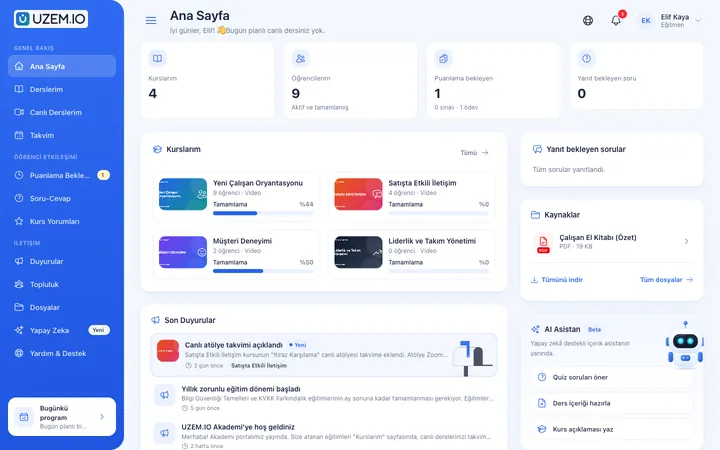
Learners ask their lesson questions in a chat. The assistant also prepares learning suggestions, a study plan and a personal performance summary.
- Visible if the organization enables it
AI
Learners ask the lesson assistant about topics they're stuck on; instructors and admins receive question, quiz and description suggestions as drafts. A draft changes no content until you transfer it to the form and save it.

Learners ask their lesson questions in a chat. The assistant also prepares learning suggestions, a study plan and a personal performance summary.
Instructors and admins consult the AI assistant in the dashboard: a quick start for a lesson plan, announcement text or report commentary.
Request suggestions for questions, quizzes, lesson summaries, course descriptions and programs. Suggestions arrive as drafts; you copy them or transfer them to the form and save them yourself.
AI is a module tied to your plan. A monthly token quota applies per organization; when the quota is used up, new requests aren't accepted, so there are no surprise costs.
Requests sent to AI don't include personal data such as the learner's name, email or phone; analyses are based on anonymous figures.
The AI service is provided by the platform. Gemini, Claude, Groq, Mistral and OpenRouter are supported under the hood.
For example, ask for five question suggestions for a lesson.
The request is processed in the queue, and the suggestion is prepared as a draft.
Only you see the draft; read it and decide.
Copy the draft, or transfer it to the form and save it yourself.
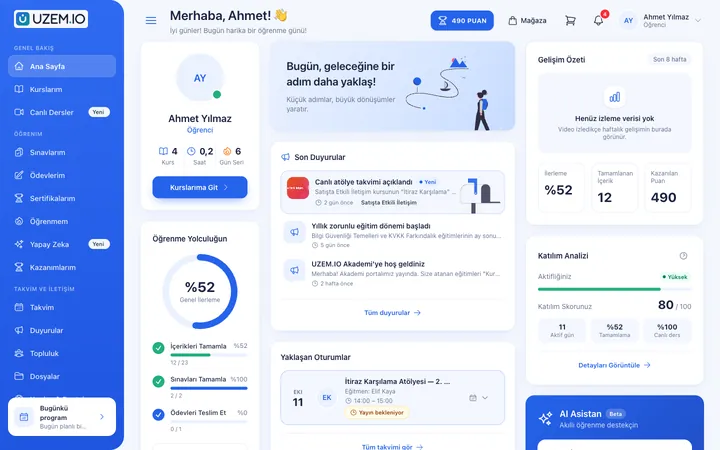
Screenshots are taken from UZEM's real interface with sample data.
If the answer you're looking for isn't here, write to us and our team will help.
Help centerNo. Requests do not include personal data such as name, email or phone. Organization-wide analyses are based on anonymous figures.
AI is a plan-controlled module. You can see which plans include it in the comparison on the Plans page; even when included, it isn't visible unless your organization turns it on in settings.
Each organization has a monthly token quota. The quota is reserved before a request starts; when it runs out, new requests aren't accepted, and the quota renews at the start of each month.
No. Suggestions arrive as drafts and are visible only to the person who requested them. Nothing is written to a course, lesson, question or exam unless you transfer the draft to the form and save it yourself.
If your plan includes AI, turn it on in settings and get your first suggestion right away.
Strictly necessary cookies are used for the site to work. Analytics and marketing cookies are enabled only with your consent. Cookie policy