










Secure video infrastructure
Videos are streamed from secure video infrastructure, not from the application server. Playback links are signed and open only to learners enrolled in the lesson.
- Course enrollment and lesson access are checked
Video training
Your lesson videos play on secure video infrastructure via signed links. Only the parts the learner actually watched are counted, not the parts they skipped.

Videos are streamed from secure video infrastructure, not from the application server. Playback links are signed and open only to learners enrolled in the lesson.
Rewatching the same part or skipping ahead doesn't inflate the time; only unique watched intervals are counted.
Learners resume the video where they left off. When the video ends, the next lesson starts; the lesson is completed automatically once at least 90% of the video has been watched uniquely.
Unlock lessons in order: learners can't move on until they finish the previous lesson. If you like, schedule lessons to unlock on specific days.
A learner-specific watermark is shown over the video. If the same account starts watching on a second device, the previous session is stopped.
Learners take their own notes while watching and find them alongside the lesson when they return.
Add the video to the lesson; processing and streaming preparation happen automatically.
Choose sequential or scheduled unlocking, and assign learners to the course.
Learners resume where they left off and take notes.
Unique views and completion are reflected in reports.
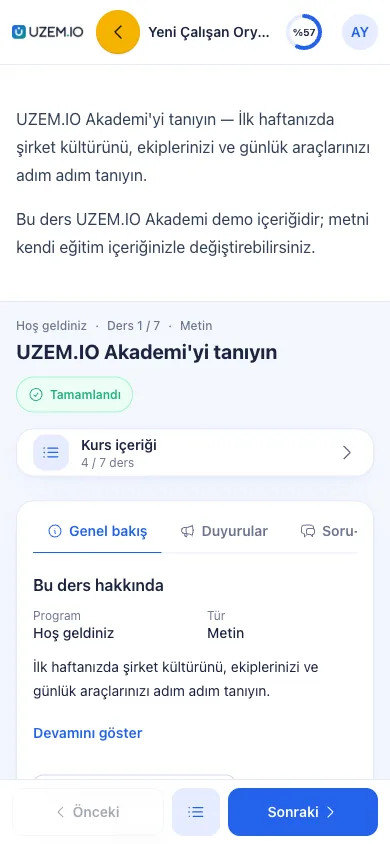
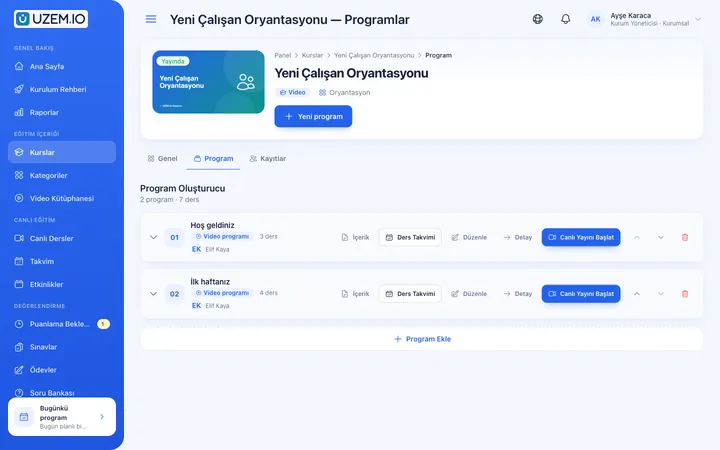
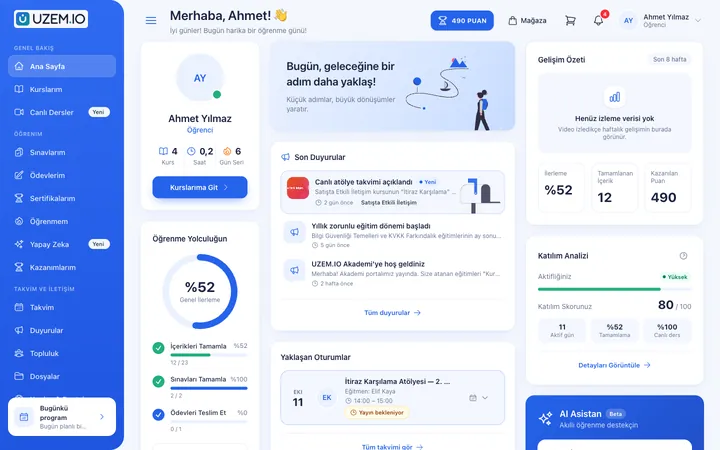
Screenshots are taken from UZEM's real interface with sample data.

If the answer you're looking for isn't here, write to us and our team will help.
Help centerVideos aren't served as files; they're streamed from secure video infrastructure via signed links unique to the enrolled learner. No system can fully prevent screen recording, which is why the watermark is unique to each learner.
If the same account starts watching on a second device, the previous session is stopped. The account sharing report lists usage from different devices, IPs and cities, as well as concurrent viewing.
For a video lesson, when at least 90% of the video has been watched uniquely. Skipped or rewatched parts aren't counted twice toward this percentage.
Yes. The player and the learner dashboard work in phone and tablet browsers. No separate mobile app is needed.
Open your academy, add a lesson and see view tracking for yourself.
Strictly necessary cookies are used for the site to work. Analytics and marketing cookies are enabled only with your consent. Cookie policy