










Content & video
In all plansDrip Content
Unlock lessons on the days you choose, counted from each learner's enrollment date, so content is absorbed step by step.
Industries that benefit from this feature
- Retail and Store Chains
- Pharmaceuticals
- Tourism / Hotels / Restaurants / Cafes
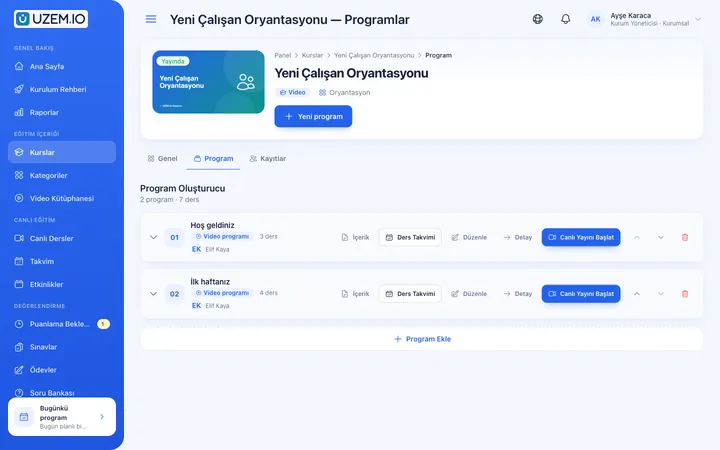
Deliver knowledge on time, not all at once
When all content is available on day one, learners may either feel overwhelmed or rush through it without understanding. With drip content, you set how many days after a learner enrolls in the course each lesson unlocks. That way, every learner follows the program at the same pace, starting from their own enrollment date.
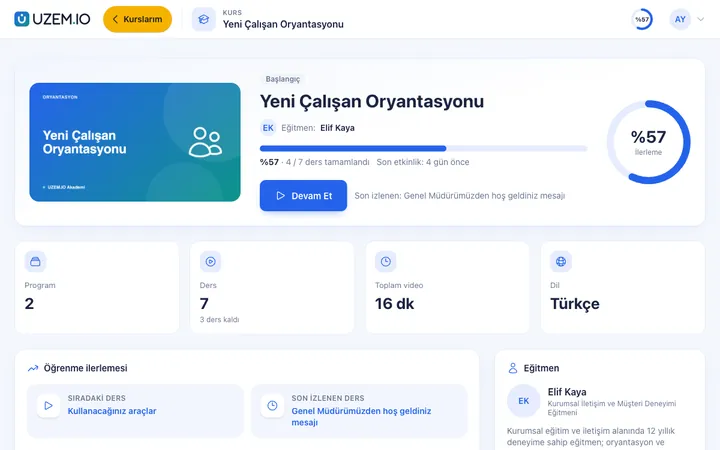
- Better-absorbed content Because topics unlock at intervals, learners focus on each step.
- A personal start date The schedule does not start on the same date for everyone, but on each learner's own enrollment date.
- Regular return visits Each newly unlocked lesson gives learners a reason to come back to the academy.
What can you do?
-
Day setting per lesson
Set how many days after enrollment each lesson unlocks.
-
Locked lesson view
Lessons that are not yet unlocked appear locked to the learner, along with when they will open.
-
Works with unit assignment
People who join a unit later are enrolled automatically and start the program from their own date.
Before and after
Before
All onboarding content is delivered on day one, and most of it is forgotten.
Next
Content for the first day, first week and first month unlocks in sequence.
Before
A separate schedule is prepared for every newcomer.
Next
The schedule runs automatically based on each learner's enrollment date.
Frequently asked questions
The 3 most frequently asked questions.
Can't find the answer you're looking for?
Browse the help center or write your question to us.
What is the timing based on?
Each lesson unlocks after the number of days you set, counted from the date the learner enrolled in the course.
Can I leave some lessons open right away?
Yes. Lessons without a day setting are available immediately after enrollment.
Can exams be scheduled too?
You can set separate start and end dates for exams and assignments.
Solutions that use this feature
- Onboarding / Orientation Instead of explaining the same things to every new hire, schedule the first week: lessons unlock day by day, short quizzes confirm understanding, and managers follow the process.
Industries that benefit from this feature
Features in the same category
Set up your academy today
- No credit card details required
- Automatic setup
- You can connect your domain later