






Who are you training?
Onboarding / Orientation
Instead of explaining the same things to every new hire, schedule the first week: lessons unlock day by day, short quizzes confirm understanding, and managers follow the process.
Suitable industries
- Corporate Companies
- Holdings and Groups of Companies
- Sales and Marketing Teams
- Retail and Store Chains
- Franchise and Dealer Networks
- Logistics and Transportation
- Industry and Manufacturing
- Real Estate and Brokerage Networks

Free the first week from repeated presentations
A new employee’s first days are often spent hearing the same introductory presentation again, with no clarity on who will show them what. With UZEM you build orientation once, as a program. As soon as an employee is added to their unit, they are enrolled in the program automatically; content arrives in order through scheduled lessons, and short quizzes confirm the basics have been understood. Every new hire starts with the same knowledge, whichever location they join.

Problems and solutions
Problem
Orientation depends on the presenter’s availability; when they are on leave, the new hire waits.
Solution
Core introductions become video lessons; new hires start at their own pace from day one, and live meetings are reserved for introductions and Q&A.
Problem
All the information is given on day one and most of it is forgotten.
Solution
With drip content, lessons unlock on set days after enrollment; separate steps are built for the first day, first week and first month.
Problem
Orientation is explained differently at every location.
Solution
A single program is assigned to all units; content is updated centrally and reaches everyone at once.
Problem
Completed orientation cannot be documented.
Solution
Completion, short quiz results and an optional certificate are kept on record in reports.
Who is it for?
Organizations that hire often
Teams that welcome new employees every month and want orientation to stop depending on one person’s time.
Multi-location businesses
Businesses that want to give store, branch or field teams orientation of the same quality as headquarters.
Managers of new hires
Managers who want to see which step a new team member is on and plan the first weeks accordingly.
HR and recruiting teams
Teams that want to document completed orientation and not rebuild the process with every hire.
Use cases
- General company orientation Company history, values, organization structure, internal communication channels and core policies.
- Department-specific onboarding A second step after general orientation, where each department explains its own tools and workflows.
- Field and store staff onboarding Short lessons on first-day essentials such as the register, stockroom, product placement and greeting customers.
- Role change and promotion onboarding Assign a short program explaining a new role’s responsibilities to employees moving into it.
- Document and form sharing Offer the employee handbook, internal regulations and frequently used forms in one place as course files.
Features used
Course and Program Management
Organize your courses into programs and lessons; bring video, text, PDF, files, exams and live sessions together in a single flow.
Video Training
Publish your video lessons through a secure video infrastructure and record viewing progress for each lesson.

Drip Content
Unlock lessons on the days you choose, counted from each learner's enrollment date, so content is absorbed step by step.
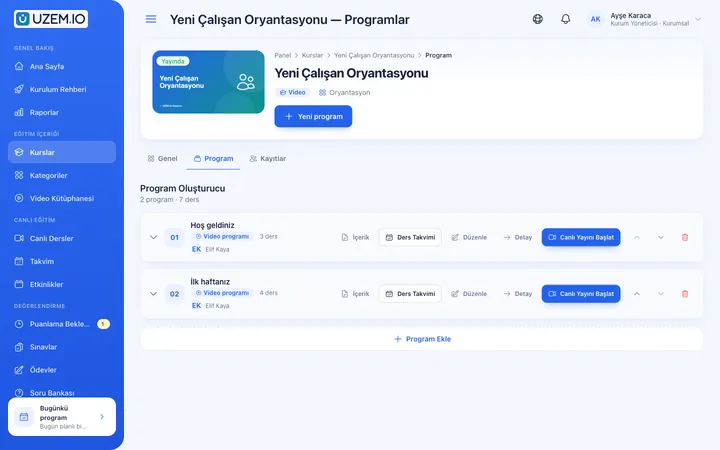
Organization Units
Build your departments, branches, regions and stores as a unit tree; assign training to units and let managers follow their own units in read-only mode.

Exams
Measure learning with timed exams and quizzes; you decide the passing score, attempts, question shuffling and result visibility.

Announcements
Publish announcements to your whole academy or to specific courses, so important information does not get lost in email and chat groups.
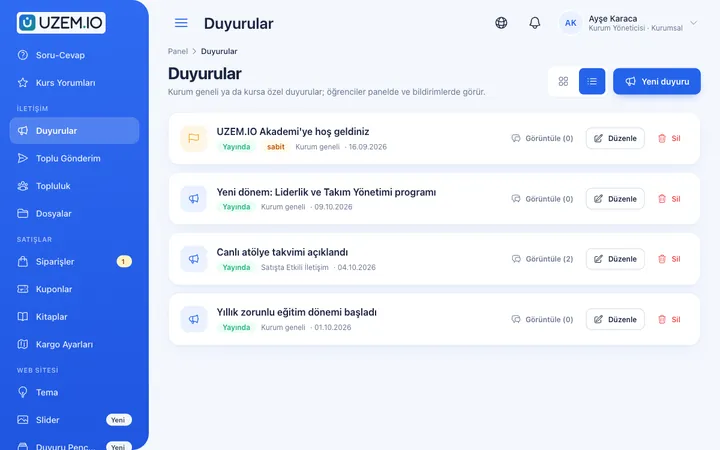
Notifications
Deliver events such as announcements, exam results and assignment grades through in-app notifications and email; send bulk messages.

Files
Add lesson notes, handouts, forms and guides to a course or to the whole academy, so learners reach the current document in one place.
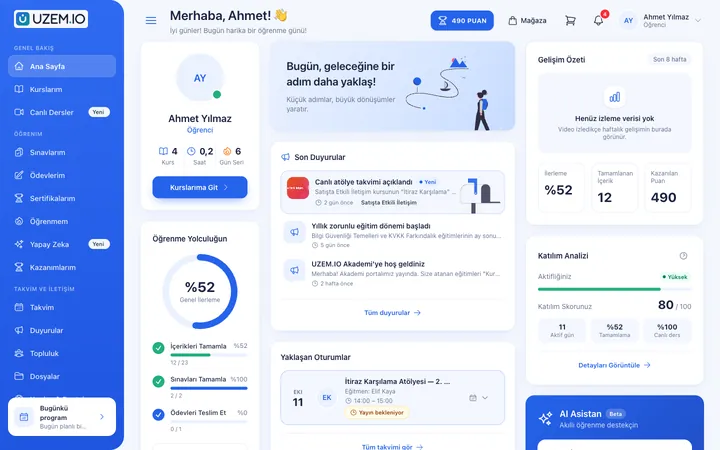
Certificates
Automatically issue certificates in your own design, verifiable by QR code, to everyone who completes a course.

Try this setup in your own academy
No credit card required; explore a dashboard set up with sample content right away.
How does it work?
-
Design the program
Split orientation into sections such as first day, first week and first month; add videos, files and short quizzes to each.
-
Set the timing
Set how many days after enrollment each lesson unlocks, so new hires do not see everything at once.
-
Link it to units
Assign the program to the relevant units; every new employee added to a unit is enrolled automatically.
-
Track completion
See which new hire is on which step in reports and send notifications to those falling behind.
Sample courses
- Welcome: Get to Know Our Company Our founding story, values, org chart and who is responsible for what.
- First Week To-Dos Accounts, tools, internal communication channels and the steps to complete in the first week.
- Employee Handbook and Policies A summary of leave, working hours, dress code, expense and information security policies, with downloadable documents.
- Department Introduction Tour A short intro video from each department and how the new hire will work with them.
Every new hire’s orientation status at a glance
Reports show each employee’s progress in the program, the lessons they have completed and their short quiz results. Filter by unit to review the orientation status of a location or department separately, and export the results as CSV.
Frequently asked questions
The 5 most frequently asked questions.
Can't find the answer you're looking for?
Browse the help center or write your question to us.
How are new hires enrolled in the program?
When you assign the program to a unit, every employee later added to that unit is enrolled automatically; no manual enrollment is needed.
Can lessons unlock in sequence?
Yes. With the drip content setting, you can define how many days after enrollment each lesson unlocks.
Can we give different departments different orientation?
Yes. You can assign general orientation to the whole company and department-specific programs to the relevant units.
How do we document that orientation was completed?
Completion and exam results are kept in reports. If you like, you can also issue a QR-verified certificate at the end of the program.
What happens when we update orientation content?
Course content is updated centrally and everyone enrolled sees the current version; no separate distribution is needed.
Industries using this solution
- Corporate Companies
- Holdings and Groups of Companies
- Sales and Marketing Teams
- Retail and Store Chains
- Franchise and Dealer Networks
- Logistics and Transportation
- Industry and Manufacturing
- Real Estate and Brokerage Networks
- Healthcare / Hospitals / Clinics
- Aviation
- Tourism / Hotels / Restaurants / Cafes
- NGOs, Associations and Foundations
Set up your academy today
- No credit card details required
- Automatic setup
- You can connect your domain later