





Corporate & commercial
Let your companies run independently while learning group culture from one academy
When each subsidiary builds its own training setup, group values and ethics principles end up being interpreted differently. In UZEM, group HQ prepares shared programs once and assigns them to every company, while company-specific training goes only to the company concerned. The group academy sees the whole group; each company manager sees only their own company.
- 6 units
- 6 categories
- 3 sample courses

One group, many companies: building a common language in training
In holding structures, companies operate in different sectors, different cities and often with different HR practices. When group values and ethics principles are taught with a separate tool in each company, the message gets diluted and producing a group-wide view takes months. In UZEM, every company is a unit in a single academy; group HQ publishes a shared program once, and company managers see only their own company.

- One academy, separate companies Subsidiaries are separate units in the same academy; sister companies cannot see each other’s training data.
- One assignment for group programs A program assigned to Group HQ covers every company and its departments with the same content.
- Compare companies For group-wide training such as ethics principles, you see companies’ completion rates side by side.
- Fast onboarding after acquisitions When a newly joined company is added to the tree, shared programs reach its employees too.
- Cross-company programs Leadership candidates from different companies join the same live sessions and submit case assignments to the same course.
- Holding brand The academy opens with the holding’s logo, colors and domain; employees see a single group platform.
- Group-wide sharing space In the community area, employees from different companies share their experience and best practices.
- Records kept through rotation When an employee moves to another group company, their unit changes and earlier training records are not deleted.
Industry challenges and solutions
Problem
Each group company uses a different training tool; producing a group-wide view takes weeks.
Solution
All companies are units in the same academy; you open a report for the whole group or narrow it to a single company or department.
Problem
Group values are presented differently in each company.
Solution
The Group Values and Culture program is prepared once centrally, assigned to Group HQ and reaches every company with the same content.
Problem
In the cross-company leadership candidate program, sessions, assignments and evaluations are scattered across different channels.
Solution
The program is set up as a single course; live sessions appear on the calendar, and case assignments and exams are gathered in the same course.
Problem
Employees of an acquired company are slow to learn group policies.
Solution
The new company is added to the tree and the shared programs assigned to Group HQ cover it too; employees are enrolled as they are added to the company.
Problem
Company managers depend on group HR to see their own data, yet they should not see other companies’ data.
Solution
Each company manager sees only the data of their own company and its departments, on read-only screens.
Problem
Companies are unaware of each other’s best practices.
Solution
Topics are opened in the community area; employees from different companies share their experience and admins keep the content organized.
Who uses it?
Group academy / group HR team
Designs group culture, ethics and leadership programs; manages assignments and content centrally and sees the picture across all companies.
Subsidiary HR officer
As unit manager, tracks how their company’s employees are progressing in shared and company-specific training, and passes company-specific content needs to the group academy.
Company general manager
Follows where ethics training and the leadership candidate program stand in their own company, without seeing other companies’ data.
Group company employee
Accesses the group’s shared programs and training specific to their own company’s work with the same account, in the same academy.
Leadership candidate
Joins live sessions with candidates from other companies, submits case assignments and receives a grade and feedback from the instructor.
Group compliance and ethics unit
Tracks completion rates and exam results for conflict of interest, gift acceptance and confidentiality training in each company.
Use cases
- Group culture and values program Tell the group’s story and show how shared values translate into daily work across companies in different sectors, in a single program.
- Group-wide ethics principles cycle Assign ethics training to Group HQ, require passing the exam, and compare completion by company.
- Cross-company leadership candidate program Bring candidates selected from different companies together in one program with live sessions, case assignments and an assessment exam.
- Post-acquisition integration Deliver group orientation and policy training to the newly joined company’s employees from the first week.
- Rotation within the group When an employee moves to another group company, change their unit; they are enrolled in the new company’s training and their earlier records are kept.
Features you'll use
Organization Units
Build your departments, branches, regions and stores as a unit tree; assign training to units and let managers follow their own units in read-only mode.

Reporting
Report on course progress, video viewing, exams, assignments, certificates, live sessions and sales; export to CSV.
Course and Program Management
Organize your courses into programs and lessons; bring video, text, PDF, files, exams and live sessions together in a single flow.

Live Training
Schedule live sessions inside your courses with the Zoom integration; attendance is recorded and session recordings are added to the course as video lessons.

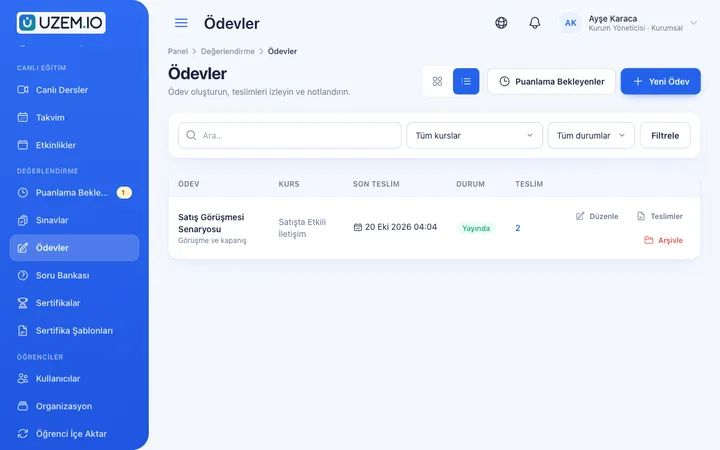
Assignments
Give assignments with due dates; learners submit text or files, and instructors grade them with scores and feedback.
Exams
Measure learning with timed exams and quizzes; you decide the passing score, attempts, question shuffling and result visibility.

Certificates
Automatically issue certificates in your own design, verifiable by QR code, to everyone who completes a course.

Community
Open a community space where your learners ask questions under topics, share experiences and help each other.

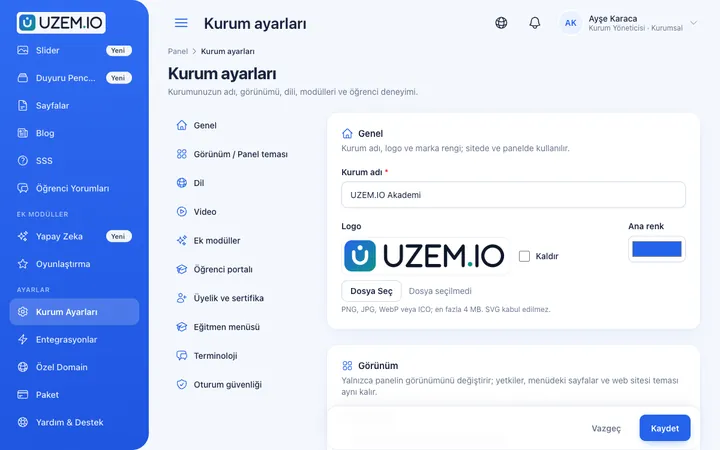
White Label / Branding
Present your academy entirely under your own brand with your logo, colors, fonts and choice of theme.
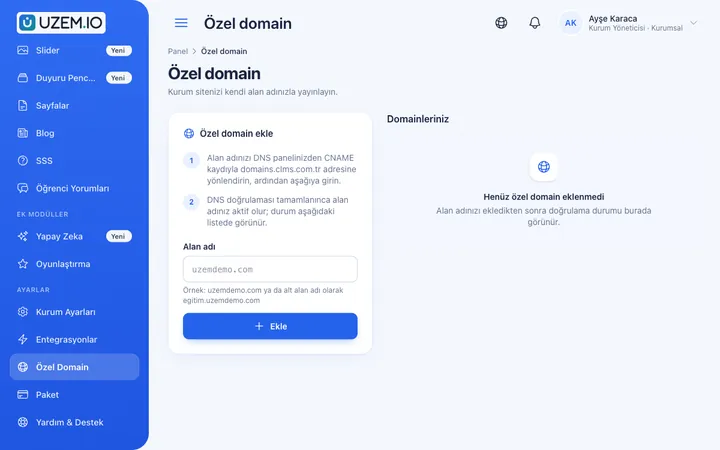
Custom Domain
Publish your academy on your own domain, with verification and SSL certificate handled automatically.
This structure comes ready with your academy
No credit card required; explore a dashboard set up with sample content right away.
How your academy is prepared
When you open an account with this industry, the structure below is set up as a draft; you adjust everything to fit your organization.
6 units · 0 categories · 3 sample courses
Group HQ, subsidiaries and departments
Group HQ sits at the top, subsidiaries below it, and each company’s departments under their own company. A program assigned to Group HQ covers every company and its departments; you assign company-specific training only to that company’s unit. Each company’s general manager or HR officer sees their own branch in read-only mode.
Sample unit tree
Sample structure: Group HQ → Sample Company A (Human Resources, Sales) / Sample Company B / Sample Company C
- Group Values and Culture The group’s shared values and how they show up in daily work across different companies.
- Ethics Principles and Code of Conduct A shared group-wide understanding of conflict of interest, gift acceptance and confidentiality; ends with a short quiz.
- Leadership Candidate Program Leadership and change management for candidates from different group companies.
- Getting to Know Our Group Companies The group’s structure, the companies’ fields of activity and communication channels between companies.
- Preparing Board Presentations Building short, decision-focused and data-driven management presentations.
Measure and document learning
- At least one of the sample courses comes with a short quiz; you edit the questions in the question bank.
- You set the passing score, number of attempts and question shuffling.
- Those who complete receive a certificate verifiable by QR code; the template comes ready.
- You open assignments for hands-on work and grade the submissions.
The whole group or a single company, in the same report
The group academy sees the training status of all companies on one screen and narrows the same report to a company or department. For group-wide programs such as ethics principles, you can compare companies side by side and export the results as a file for a board presentation.
- Course tracking report by company Shows each company’s progress in the Group Values and Culture program separately; you plan together with the HR officer of the company that is falling behind.
- Ethics principles exam results Lists scores from the Ethics Principles and Code of Conduct quiz filtered by company or department; the group compliance unit takes the results to the board.
- Assignment grading report Shows submission status and instructor grades for case assignments in the leadership candidate program; provides data for the candidate review meeting.
- Sign-in log report Shows when companies’ employees signed in to the academy; you see how well the academy has been adopted in a newly joined company.
Your group academy opens with this structure: Sample Companies A, B and C come ready under Group HQ, with Human Resources and Sales departments under Company A. Group Culture, Leadership, Ethics & Compliance, Orientation, Competencies and Sales categories are defined. Group Values and Culture, Ethics Principles and Code of Conduct, and the Leadership Candidate Program are added as drafts, and a welcome announcement is published.
Rollout steps
-
Replace the group tree with your own companies
Update Sample Company A, B and C with your real company names and add the departments you need.
-
Assign company managers
Make each company’s general manager or HR officer the unit manager of their own company.
-
Separate shared and company-specific programs
Assign group programs to Group HQ and company-specific training to the relevant company unit.
-
Compare companies
View completion and exam results side by side by company, and plan together with the company that is falling behind.
Solutions for this industry
- Branch / Unit-Based Training Bring your branch, store, region and department structure into the academy: assign training to a unit, enroll newcomers automatically, and let each manager see only their own unit’s status.
- Employee Training If training is scattered across emails, folders and class lists: gather all employee training in one corporate academy, assign it to people or units, and see who completed it in the report.
- Mandatory / Compliance Training If you replan KVKK, information security, OHS and internal policy training every year: assign it, verify completion with an exam, and keep a CSV record of who took which training.
- Continuing Professional Development Help professionals stay current throughout their careers by gathering seminars, courses and certificate programs in one development academy, with attendance history kept on each person’s record.
- Onboarding / Orientation Instead of explaining the same things to every new hire, schedule the first week: lessons unlock day by day, short quizzes confirm understanding, and managers follow the process.
- Live Training Management If Zoom links, attendance lists and recordings are scattered everywhere: schedule live sessions inside the course, record attendance automatically and add the session recording to the lesson.
Frequently asked questions
The 9 most frequently asked questions.
Can't find the answer you're looking for?
Browse the help center or write your question to us.
Do we need a separate academy for each group company?
No. Companies are defined as units within a single academy; assignments and reports are separated by company.
Can one company’s manager see sister companies’ data?
No. A company manager sees only the data of their own company and its departments.
Can company HR teams manage their own training?
Content and assignment management stays with academy admins; company HR teams monitor their own company in read-only mode as unit managers. A need for company-specific training is passed to the group academy, and once the training is ready it is assigned only to that company.
What do we need to do when a new company joins the group?
Just add the company to the tree; shared programs assigned to Group HQ cover the new company too, and employees who are added are enrolled automatically.
Can the academy open with the holding brand and on our own domain?
Yes. It opens with your logo, colors and custom domain; employees do not see the software provider’s brand.
Who is responsible for the accuracy of ethics and compliance content?
Content is prepared and approved by your group; sample courses are starting drafts. UZEM provides the infrastructure for publishing, assigning and keeping records.
Each company has its own training archive; how do we move it into the group academy?
Companies’ training videos are uploaded from the dashboard, and presentations and policy documents are attached as files to the relevant course. Assessment questions are entered into the question bank and grouped by company or topic. You can import employees and the company-department tree with CSV files; importing ready-made lesson packages is not supported.
How is licensing calculated for thousands of employees across the group?
Only active users count toward the license; deactivated employees, instructors and admins do not use capacity. Plans are tiered by active user capacity, and current options are on the Pricing page. Contact us for a custom quote that fits the size of your group.
Is there a connection to group companies’ HR and accounting systems?
No. We do not offer a ready-made connection to your companies’ HR or accounting systems; you export employee lists from those systems as CSV and import them into the academy. Group-wide live sessions run through a Zoom connection, and bulk SMS announcements through your Netgsm or Mutlucell account.
Industries in the same group
Set up your academy for Holdings and Groups of Companies today
- No credit card details required
- Automatic setup
- You can connect your domain later