






Corporate & commercial
Get new sales associates ready for the register in their first week
In most stores, checkout procedures, the return policy and this week's promotion are taught by word of mouth during busy hours. With UZEM, head office prepares this training once and assigns it to regions and stores; store managers track their team's status from their own screen.
- 9 units
- 6 categories
- 3 sample courses

Why does in-store training always end up in the busiest hours?
Retail has high staff turnover, stores stay open long hours and promotion rules change every week. When knowledge depends on the store manager's explanations and messaging groups, the same promotion is applied differently in two stores. A UZEM academy follows your head office, region and store structure; training is prepared once, reaches the right store and the results land on the store manager's screen.

- Assignment by store Give promotion training only to the region where it applies, and checkout training only to checkout teams.
- Staged orientation New staff's lessons unlock day by day from their enrollment date; on day one only what is needed is visible.
- Lessons finished on a break Lessons a few minutes long are completed before a shift or on a break, resuming where staff left off.
- Same-day promotion readiness The promotion lesson reaches every store on the same day through an announcement and in-app notification.
- Friendly competition between stores Use points and badges to build friendly competition between store teams that encourages training.
- Visibility for regional managers Before a store visit, the regional manager sees in their own report which team is falling behind on training.
- Licensing that fits seasonal staff Staff deactivated at the end of the season do not use licenses, while their past training records are kept.
Industry challenges and solutions
Problem
Staff turnover is high; the store manager explains the same things to every new person from scratch.
Solution
Store Orientation is prepared once and assigned to stores; new staff are enrolled the moment they are added to their store, and lessons unlock across their first days.
Problem
Weekly promotion details get lost in messaging groups, and the wrong discount is applied at the register.
Solution
Promotion rules are gathered into a short lesson, assigned to the relevant regions and announced with an announcement and notification; a short test checks they were understood.
Problem
Return and exchange rules are applied differently from store to store.
Solution
Checkout Procedures training is assigned to all checkout teams with the same content; test results are compared by store.
Problem
The regional manager learns which store is behind on training only during the visit.
Solution
The regional manager sees the stores in their region in read-only reports before the visit.
Problem
There is no quiet hour in the store for long training.
Solution
Content is split into lessons a few minutes long; staff finish a lesson before opening or on a break and resume where they left off.
Problem
Training is seen as a chore, and interest is low.
Solution
Points and badges are awarded for completing lessons and tests; if you wish, a leaderboard creates friendly competition between stores.
Who uses it?
Sales associate
Learns how to greet customers, identify needs and present seasonal products through short video lessons; checks the current promotion in five minutes before a shift.
Cashier
Reduces the risk of register discrepancies with lessons that walk step by step through taking payments, returns and exchanges, receipts and end-of-day closing.
Stockroom and inventory lead
Learns goods receiving, labeling, back-stock organization and stocktake preparation, and reviews what to do on delivery day.
Store manager
As a unit manager, tracks whether new staff in the store have finished orientation and who passed the promotion test.
Regional manager
Compares the stores in their region side by side and identifies the team falling behind on training before a store visit.
Visual merchandising (VM) lead
Delivers window and shelf layout standards to every store on the same day with photo guides and videos.
Use cases
- First day, first week, first month Build store orientation with lessons that unlock gradually from the enrollment date, so on day one only what is needed that day is open.
- Weekly promotion briefing Gather the promotion's scope, excluded products and frequent customer questions into a short lesson and assign it to the relevant regions.
- Checkout and return procedures Give payment types, returns, exchanges and end-of-day closing to all checkout teams, together with a short test.
- Seasonal product training Present the highlights of the new season's collection and styling suggestions with visual lessons before the season opens.
- Store manager development Hold live sessions for managers on shift planning, target tracking and feedback within the team.
Features you'll use
Organization Units
Build your departments, branches, regions and stores as a unit tree; assign training to units and let managers follow their own units in read-only mode.

Video Training
Publish your video lessons through a secure video infrastructure and record viewing progress for each lesson.
Drip Content
Unlock lessons on the days you choose, counted from each learner's enrollment date, so content is absorbed step by step.
Exams
Measure learning with timed exams and quizzes; you decide the passing score, attempts, question shuffling and result visibility.

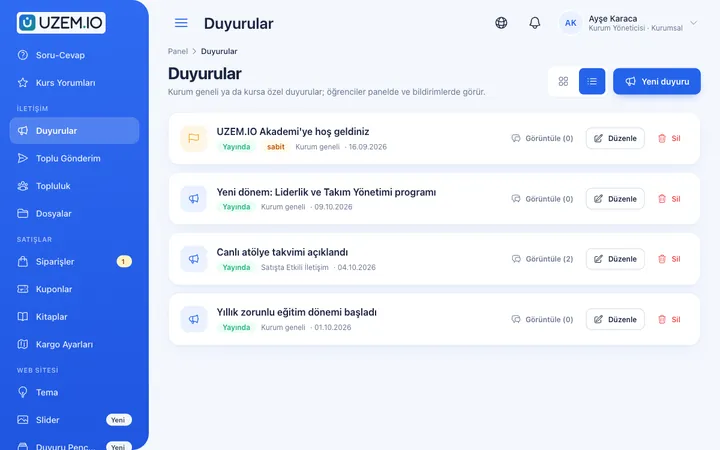
Announcements
Publish announcements to your whole academy or to specific courses, so important information does not get lost in email and chat groups.
Notifications
Deliver events such as announcements, exam results and assignment grades through in-app notifications and email; send bulk messages.

Reporting
Report on course progress, video viewing, exams, assignments, certificates, live sessions and sales; export to CSV.

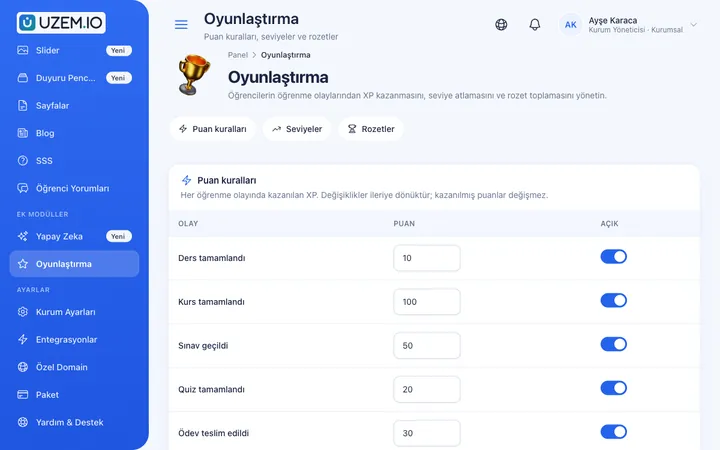
Gamification
Use points, badges, levels and leaderboards to make steady learner effort visible and motivating.
Certificates
Automatically issue certificates in your own design, verifiable by QR code, to everyone who completes a course.

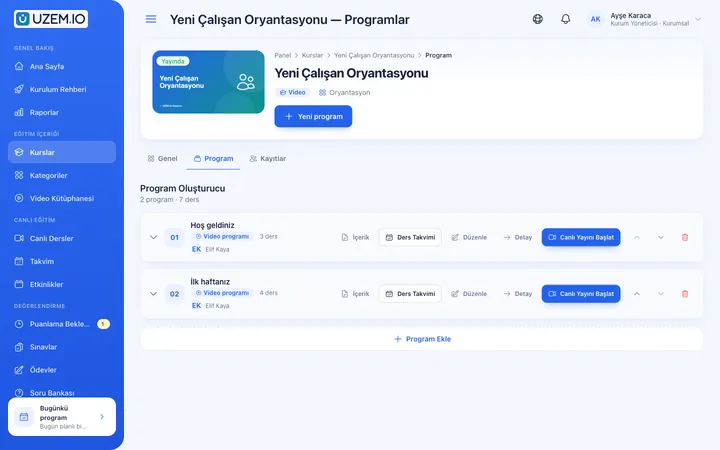
Course and Program Management
Organize your courses into programs and lessons; bring video, text, PDF, files, exams and live sessions together in a single flow.

This structure comes ready with your academy
No credit card required; explore a dashboard set up with sample content right away.
How your academy is prepared
When you open an account with this industry, the structure below is set up as a draft; you adjust everything to fit your organization.
9 units · 0 categories · 3 sample courses
Head office, region, store and in-store teams
Regions sit under Head Office, stores under regions, and Sales, Checkout and Stockroom teams inside each store. You assign promotion training only to the region where the promotion applies, while checkout training goes only to checkout teams. Staff who start at a store today are enrolled today in the training assigned to that store.
Sample unit tree
Sample structure: Head Office → Sample Region 1 (Sample Store 1 → Sales, Checkout, Stockroom; Sample Store 2) / Sample Region 2 (Sample Store 3)
- Store Orientation Store layout, working hours, dress code and what to know in the first days; with a short test at the end.
- Checkout Procedures Steps to watch when taking payments, handling returns and exchanges, and closing at the end of the day.
- Promotion Briefing A template course updated every week on the promotion's scope, conditions and how to explain it correctly to customers.
- Greeting Customers and Identifying Needs Greeting, questions to understand needs and guiding customers to the right product.
- Goods Receiving and Stocktake Preparation Delivery checks, labeling, back-stock organization and preparation before a stocktake.
- Window and Shelf Layout Window display design, shelf layout and price tag rules.
Measure and document learning
- At least one of the sample courses comes with a short quiz; you edit the questions in the question bank.
- You set the passing score, number of attempts and question shuffling.
- Those who complete receive a certificate verifiable by QR code; the template comes ready.
- You open assignments for hands-on work and grade the submissions.
Which stores are ready for the promotion?
Regional managers see their region, store managers their own store, and head office the entire network. Track who has finished orientation, what they scored on the promotion test and which store's completion rate is dropping, and export the list as a file.
- Course tracking report by store Shows each staff member's progress in Store Orientation with a store filter; store managers see where new starters are.
- Promotion test results Breaks down weekly promotion test scores by region and store; stores with a high risk of wrong discounts stand out.
- Sign-in records report Shows when staff last signed in to the academy; together with the store manager, you identify sales associates who have not signed in for a long time.
- Members report Lists the staff registered at each store; helps you keep your license capacity in order by deactivating employees who have left.
Your store academy opens with this structure: Under Head Office, two sample regions and three sample stores come ready, with Sales, Checkout and Stockroom teams inside Sample Store 1. The Orientation, Product Knowledge, Promotions, Sales, Customer Experience and Operations categories are defined. Store Orientation, Checkout Procedures and Promotion Briefing are added as drafts, and the gamification module is enabled.
Rollout steps
-
Build your store network
Replace the sample regions and stores with your own store list, and make store and regional managers unit managers.
-
Add staff to their stores
Import the staff list with a CSV or send invitations; place each person in the store and team they work in.
-
Assign training at the right level
Assign orientation to Head Office, promotion training to the relevant regions and checkout training to checkout teams.
-
Track store by store
Compare completion and test results by region and store, and remind lagging stores with an announcement.
Solutions for this industry
- Employee Training If training is scattered across emails, folders and class lists: gather all employee training in one corporate academy, assign it to people or units, and see who completed it in the report.
- Onboarding / Orientation Instead of explaining the same things to every new hire, schedule the first week: lessons unlock day by day, short quizzes confirm understanding, and managers follow the process.
- Branch / Unit-Based Training Bring your branch, store, region and department structure into the academy: assign training to a unit, enroll newcomers automatically, and let each manager see only their own unit’s status.
- Product Training If product knowledge is explained differently to every team: deliver the same content to sales, support, dealer and field teams at the same time, and verify it was learned with an exam.
- Mandatory / Compliance Training If you replan KVKK, information security, OHS and internal policy training every year: assign it, verify completion with an exam, and keep a CSV record of who took which training.
Frequently asked questions
The 8 most frequently asked questions.
Can't find the answer you're looking for?
Browse the help center or write your question to us.
Do staff who leave the store keep using a license?
No. When you deactivate departed staff, they do not use a license; licensing is based on active users, while training history stays in the records.
What happens if staff move to another store?
When you change a person's store, they are enrolled automatically in the training assigned to the new store; records of completed training are kept.
Can we give promotion training to only some stores?
Yes. If you assign the training to a region, all stores in that region are covered; if you assign it to a single store, only that store is covered.
Can a shared tablet be used in the store?
The academy works in tablet and phone browsers; however, for progress to be recorded correctly, each staff member must sign in with their own account.
Can the store manager change training content?
No. The unit manager role is read-only; content and assignments are managed by the training team at head office.
How do we add our promotion visuals and store handbook?
Upload short promotional videos from the dashboard; the store handbook, shelf layout plan and promotion brochure are attached to the relevant training as PDFs or files. Enter the promotion test questions into the question bank. You can import the staff list and store tree with a CSV; lesson packages cannot be imported from another platform.
Which plan should we choose for hundreds of store staff?
Plans are tiered by the number of users kept active at the same time. Because staff turnover is high, simply deactivate those who leave so capacity stays available for new starters. Compare plans and prices on the Pricing page.
Is there a connection to our POS software or HR management system?
No, we do not offer a ready-made connection to enterprise systems such as POS and HR management. You export the staff list from these systems as a CSV and import it into the academy. You can use your Netgsm or Mutlucell account to send bulk SMS to stores, and the Zoom integration for store manager meetings.
Industries in the same group
Set up your academy for Retail and Store Chains today
- No credit card details required
- Automatic setup
- You can connect your domain later