





Who are you training?
Customer Training
Cut down the “how do I use this” questions reaching your support team: open a branded training center that teaches customers your product with video lessons, short quizzes and certificates.
Suitable industries
- Medical Devices
- Cosmetics / Beauty
- Publishing

Well-trained customers mean fewer support tickets
A product’s value shows in how well customers use it. When the same questions keep reaching the support line, it is often a sign that something has not been explained well. With UZEM you set up a dedicated training center for your customers: how-to videos, step-by-step guides, live product demos and a community area all live at one address under your own brand.

Problems and solutions
Problem
The support team answers the same questions every day.
Solution
Frequently asked topics become short video lessons; customers find the answer in the training center without opening a ticket.
Problem
Onboarding demos for new customers are scheduled one by one.
Solution
Group live demo sessions are scheduled on the calendar, and recordings are kept for later viewing.
Problem
Help content is scattered across PDFs, videos and blog posts.
Solution
All content is gathered by topic in courses and on the storefront page; customers are pointed to a single address.
Problem
The same content cannot be offered to customers in different languages.
Solution
With multilingual content support, course titles and descriptions can be prepared in different languages.
Who is it for?
Product and software companies
Teams that want to explain new features to customers and scale product knowledge.
Customer success teams
Teams that would rather use recorded content and group live sessions than repeat the same walkthrough for every new customer.
Device and equipment vendors
Companies that want to regularly deliver installation, maintenance and safe-use information to their customers.
Service industry
Organizations that want to explain their processes, application steps or product terms to customers in plain language.
Use cases
- Getting-started training A short starter program so new customers use the product productively in their first week.
- New feature announcements Explain every update to customers with a short video lesson and an announcement.
- Advanced usage In-depth courses for power users, with an optional certificate.
- Customer community A community area where customers can ask each other questions and share experiences.
- Paid advanced training If you like, you can also offer expert-level training for a fee through the storefront.
Features used
Course and Program Management
Organize your courses into programs and lessons; bring video, text, PDF, files, exams and live sessions together in a single flow.
Video Training
Publish your video lessons through a secure video infrastructure and record viewing progress for each lesson.

Live Training
Schedule live sessions inside your courses with the Zoom integration; attendance is recorded and session recordings are added to the course as video lessons.

Course Storefront
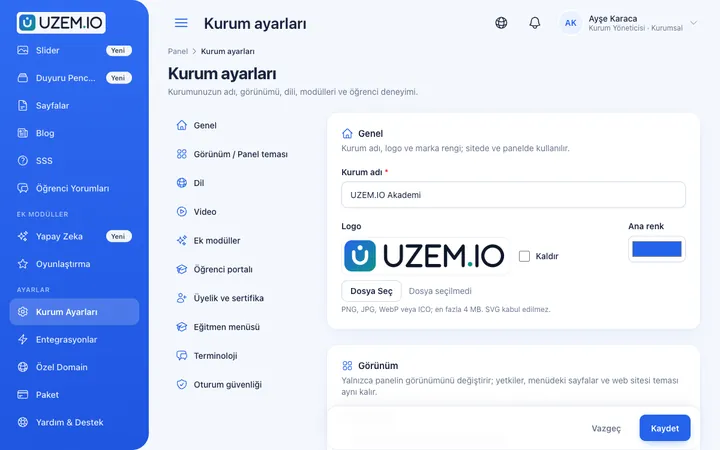
Manage your academy's public website with a course catalog, course landing pages, sliders, pop-ups, a blog and FAQs.

White Label / Branding
Present your academy entirely under your own brand with your logo, colors, fonts and choice of theme.
Custom Domain
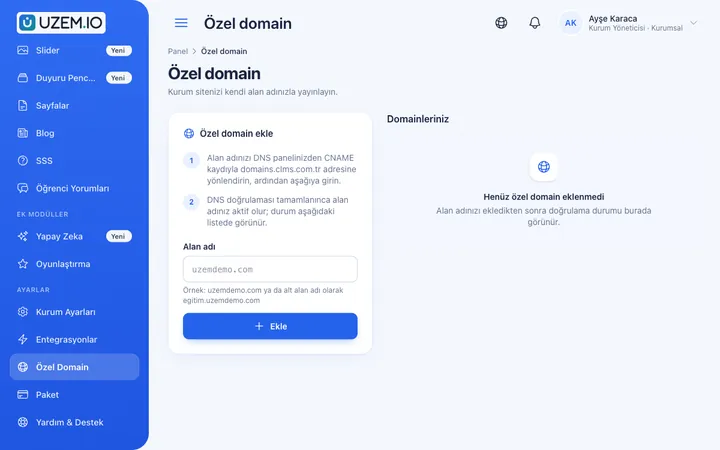
Publish your academy on your own domain, with verification and SSL certificate handled automatically.
Community
Open a community space where your learners ask questions under topics, share experiences and help each other.

Announcements
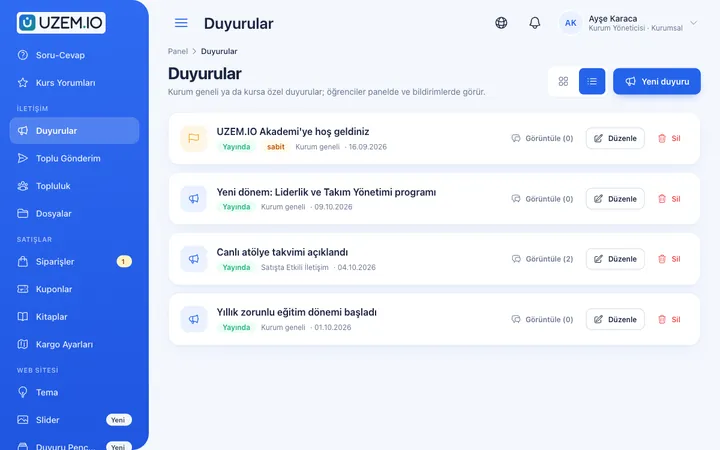
Publish announcements to your whole academy or to specific courses, so important information does not get lost in email and chat groups.
Multilingual Content
Enable more than one language in your academy and prepare course, page and FAQ content for each language.
Certificates
Automatically issue certificates in your own design, verifiable by QR code, to everyone who completes a course.

Try this setup in your own academy
No credit card required; explore a dashboard set up with sample content right away.
How does it work?
-
Define the topics
List the most repeated questions in support tickets and customers’ first needs.
-
Prepare the content
Add a short video lesson for each topic and, if needed, a downloadable guide.
-
Publish on the storefront
Publish the training center on your own domain and link to it from your product and emails.
-
Keep it current
Announce new features and update content alongside the product.
Sample courses
- First Steps Account setup, basic settings and a step-by-step walkthrough of the first task.
- Common Mistakes and Fixes The situations the support team sees most often, with short solution videos.
- Safe Use and Maintenance Safe use of the product, routine maintenance and points to watch out for.
- Power User Program Advanced features, workflow tips and a certificate earned with a final exam.
See which content works
Reports show how far each course has been completed and which customers took part in the training. With this data you can see which topics need more explanation and export the results as CSV.
Frequently asked questions
The 5 most frequently asked questions.
Can't find the answer you're looking for?
Browse the help center or write your question to us.
Can we publish the customer academy on our own domain?
Yes. You can connect your custom domain and publish it with your logo and colors.
Can we offer some courses for free and others for a fee?
Yes. Alongside free courses, you can also put paid courses on sale through the storefront.
Can customers watch the courses on their phones?
UZEM offers a mobile-friendly web interface; customers can access courses from a phone or tablet browser.
Can we offer content in different languages?
Yes. By enabling more than one language in your academy, you can prepare content in different languages.
Is licensing based on the number of customers?
Only active learners count toward the license. You can manage your license capacity by deactivating customers who have finished their training or no longer use it.
Industries using this solution
Set up your academy today
- No credit card details required
- Automatic setup
- You can connect your domain later