






Corporate & commercial
The same brand experience, whichever location customers walk into
In a franchise network, customers expect the same product, the same welcome and the same brand voice at every location. With UZEM, publish your brand standards and operating routines from headquarters, prepare new locations remotely before opening, and track franchise owners' and staff status by region.
- 6 units
- 6 categories
- 3 sample courses
Why is it hard to keep standards consistent across a franchise network?
Franchise locations and dealers are separate businesses; staff turn over often at every location, and the headquarters team cannot visit every location at once. When standards are distributed as presentations and PDFs, there is no way to know which location follows the current version. In UZEM, headquarters publishes standards from a single source, locations and dealers sit on their own branches of the tree, and every location's status appears in the regional coordinator's report.

- A single source from headquarters When a standard changes, the lesson is updated in one place and every location sees the same version.
- Remote opening preparation A new location's team gets ready before opening with video lessons, live sessions and exams.
- Owners see their own data Franchise owners and dealers monitor only their own unit's training status, read-only.
- Standards certificate Location managers pass an exam to earn a brand standards certificate that can be verified by QR code.
- An academy with headquarters' brand The academy opens with your headquarters brand's logo and domain; locations do not see the software provider.
- Prepared field visits Before a location visit, the regional coordinator pulls missing training from their own report.
- Optional paid training If you wish, you can offer franchise training packages for a fee via PayTR, iyzico or bank transfer.
Industry challenges and solutions
Problem
For every new location opening, headquarters sends a team for weeks to train staff.
Solution
The opening program is completed remotely before opening with video lessons, live Q&A sessions and exams; on-site visits are reserved for hands-on practice.
Problem
Brand standards are interpreted differently from location to location.
Solution
Standards are published from a single source; location managers pass an exam to earn a brand standards certificate verifiable by QR code.
Problem
When a standard or recipe changes, there is no way to be sure the change reached every location.
Solution
The relevant lesson is updated and announced; the report shows by location who has completed it again.
Problem
Field coordinators go into audit visits without knowing a location's training status.
Solution
Coordinators review the locations in their region in read-only reports before the visit.
Problem
Staff change often at locations, and training has to be replanned for every new person.
Solution
New staff added to a location are enrolled automatically in the training assigned to Headquarters and to that location.
Problem
Different versions of checklists and instruction documents are in circulation.
Solution
The current checklist is attached as a file to the relevant training or to the whole academy, so locations always download the same version.
Who uses it?
Franchisee / location owner
Learns the operating standards in the franchise agreement, the opening timeline and headquarters' expectations, and tracks the training of staff at their location.
Location manager
Learns opening, daytime and closing routines, and checks whether new shift members have finished brand standards training.
Location staff
Learns product preparation and presentation standards, greeting steps and dress code through short video lessons.
Regional / field coordinator
Checks the training status of the locations and dealers they oversee before audit visits and puts gaps on the visit agenda.
Dealer
Learns the brand's products and terms of sale, sitting inside the network as its own company but seeing only its own data.
Headquarters training and operations team
Updates lessons when a standard changes, manages the opening program and brand certification, and runs live sessions with franchise owners.
Use cases
- New location opening program Assign preparation, team setup and first-week steps for the weeks before opening to the new location in sequential lessons.
- Brand standards certificate Build a standards program for location managers that ends with an exam with a passing score and a QR-verifiable certificate.
- Menu or product changeover Explain how the new product is prepared and served on video, and publish it across the whole network on the same day.
- Franchise owners meeting Bring headquarters leadership and franchise owners together in a live Zoom session, and keep the recording in the academy for those who could not attend.
- Dealer product training Define dealers as a separate unit and assign product and terms-of-sale training to dealers only.
Features you'll use
Organization Units
Build your departments, branches, regions and stores as a unit tree; assign training to units and let managers follow their own units in read-only mode.

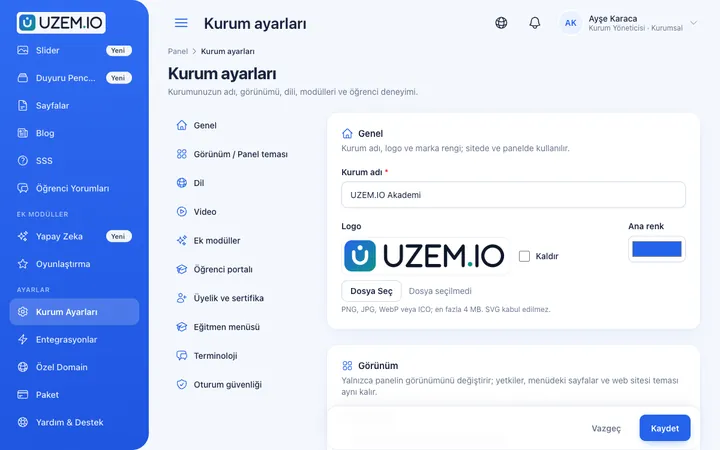
White Label / Branding
Present your academy entirely under your own brand with your logo, colors, fonts and choice of theme.
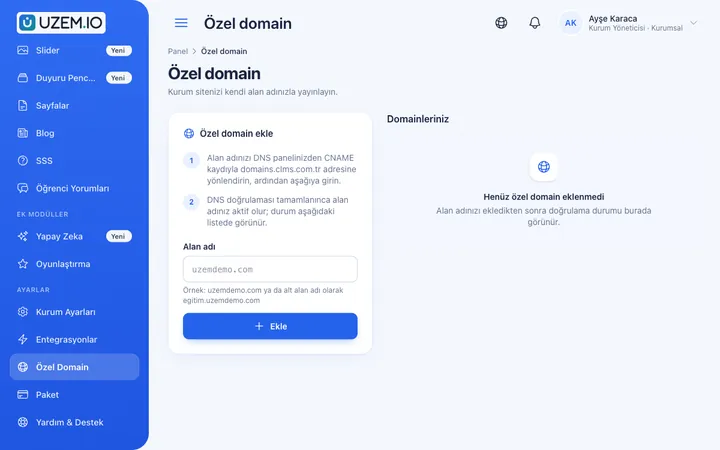
Custom Domain
Publish your academy on your own domain, with verification and SSL certificate handled automatically.
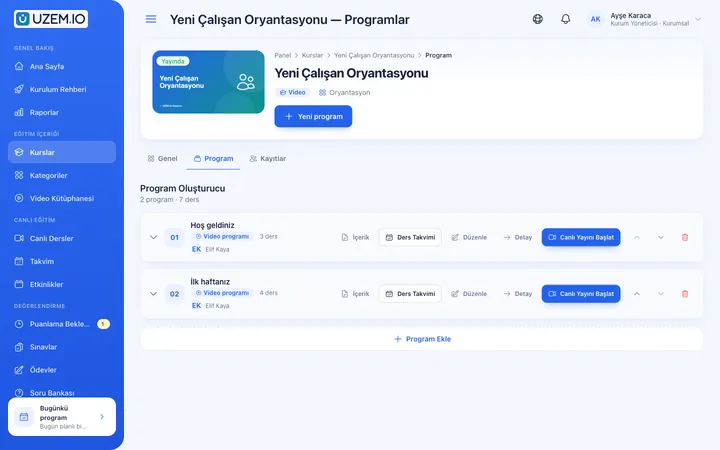
Course and Program Management
Organize your courses into programs and lessons; bring video, text, PDF, files, exams and live sessions together in a single flow.

Video Training
Publish your video lessons through a secure video infrastructure and record viewing progress for each lesson.

Exams
Measure learning with timed exams and quizzes; you decide the passing score, attempts, question shuffling and result visibility.

Certificates
Automatically issue certificates in your own design, verifiable by QR code, to everyone who completes a course.

Live Training
Schedule live sessions inside your courses with the Zoom integration; attendance is recorded and session recordings are added to the course as video lessons.

Reporting
Report on course progress, video viewing, exams, assignments, certificates, live sessions and sales; export to CSV.

Files
Add lesson notes, handouts, forms and guides to a course or to the whole academy, so learners reach the current document in one place.
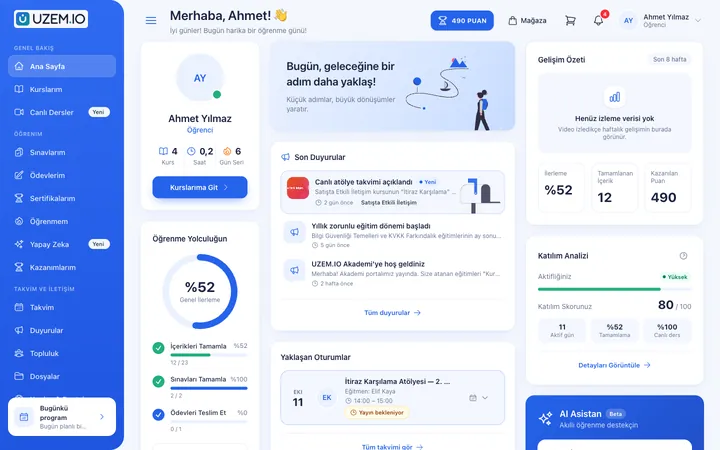
This structure comes ready with your academy
No credit card required; explore a dashboard set up with sample content right away.
How your academy is prepared
When you open an account with this industry, the structure below is set up as a draft; you adjust everything to fit your organization.
6 units · 0 categories · 3 sample courses
Headquarters, regions, franchise locations and dealers
Headquarters sits at the top, regions in the middle, and franchise locations and dealers under their regions. When you assign brand standards training to Headquarters, the whole network is covered; a region-specific menu or product training goes only to that region. Location owners and regional coordinators, as unit managers, see only the branch of the tree they are responsible for.
Sample unit tree
Sample structure: Headquarters → Sample Region 1 (Sample Franchise Location 1, Sample Franchise Location 2) / Sample Region 2 (Sample Dealer 1)
- Brand Standards Appearance, communication style and service standards; completed with a test location managers are expected to pass.
- New Location Opening Pre-opening preparation, team setup and the steps of the first week.
- Daily Operating Routines Checklist steps that standardize a location's opening, daytime and closing routines.
- Greeting Guests and Taking Orders The welcome phrase, taking orders correctly, resolving complaints and seeing guests off.
- Business Management for Location Owners Staff planning, inventory tracking and the reporting routine with headquarters.
Measure and document learning
- At least one of the sample courses comes with a short quiz; you edit the questions in the question bank.
- You set the passing score, number of attempts and question shuffling.
- Those who complete receive a certificate verifiable by QR code; the template comes ready.
- You open assignments for hands-on work and grade the submissions.
Which locations in the network have completed the standards?
Headquarters sees the whole network, a regional coordinator their own region and a location owner their own location. Track which location managers hold the brand standards certificate and at which locations new staff have not started training; large lists are prepared in the background and downloaded.
- Franchise location course tracking report Shows each location's progress in Brand Standards and Daily Operating Routines training with a region filter.
- Brand standards certificate report Lists which location managers hold the standards certificate; a location missing one goes on the agenda for the next field visit.
- Product changeover exam results Compares scores on the test given after a new menu or product changeover by location and dealer.
- Earnings report If you offer franchise training for a fee, shows how much revenue each training generated.
Your franchise academy opens with this structure: Under Headquarters, two sample regions come ready: two sample franchise locations in the first region and one sample dealer in the second. Brand Standards, Orientation, Operations, Product, Sales and Customer Experience categories are defined. Brand Standards, New Location Opening and Daily Operating Routines are added as drafts, and a launch announcement for the network is also published.
Rollout steps
-
Define your network
Replace the sample region, location and dealer with your own network, and make location owners and coordinators unit managers.
-
Launch with your brand
Set your logo, colors and custom domain; locations see the academy under headquarters' brand.
-
Publish your standards
Update the draft Brand Standards and Daily Operating Routines training with your own standards and assign them to Headquarters.
-
Track location by location
Follow completion and certificate status by region and location, and plan audit visits accordingly.
Solutions for this industry
- Partner / Dealer Training If your dealers and partners learn about product changes late and incompletely: use a separate academy that carries your brand to deliver knowledge to every location at once, at the same quality.
- Branch / Unit-Based Training Bring your branch, store, region and department structure into the academy: assign training to a unit, enroll newcomers automatically, and let each manager see only their own unit’s status.
- Onboarding / Orientation Instead of explaining the same things to every new hire, schedule the first week: lessons unlock day by day, short quizzes confirm understanding, and managers follow the process.
- Product Training If product knowledge is explained differently to every team: deliver the same content to sales, support, dealer and field teams at the same time, and verify it was learned with an exam.
- Certificate Programs Combine training, exams and certification in one flow: you set the success criteria, the certificate is generated automatically, and third parties verify its authenticity with a QR code.
- Live Training Management If Zoom links, attendance lists and recordings are scattered everywhere: schedule live sessions inside the course, record attendance automatically and add the session recording to the lesson.
Frequently asked questions
The 8 most frequently asked questions.
Can't find the answer you're looking for?
Browse the help center or write your question to us.
Our dealers are separate companies; can they use the same academy?
Yes. Each dealer is defined as a separate unit, and a dealer manager sees only their own unit's data.
Can a location owner change training content for their location?
No. As a unit manager, the location owner monitors their own location read-only; content and assignments stay with headquarters, so the standard stays the same everywhere.
Can we offer a franchise training package for a fee?
Yes. By enabling the sales features, you can offer selected training for a fee via PayTR, iyzico or bank transfer; selling is optional.
Can the academy run on our own domain?
Yes. With custom domain and branding settings, the academy opens with headquarters' brand.
When a new location opens, is training assigned automatically?
When you add the location under the right region, training assigned to Headquarters and to that region also covers the new location, and staff added to the location are enrolled.
How do we bring over our existing operations manual and recipe videos?
Upload recipe, preparation and presentation videos from the dashboard and add them to lessons; the operations manual and checklists go into the training or the whole academy as PDFs or files. Enter standards test questions into the question bank. You can import location staff via CSV; importing ready-made course packages is not supported.
How does license cost change as our number of locations grows?
Plans are tiered by active user capacity; when you deactivate staff who leave a location, their license is freed and used for new staff. As your network grows, you can upgrade your plan from the dashboard; current options are on the Pricing page.
Can it connect to our locations' point-of-sale and inventory software?
No, we do not offer a ready-made connection to enterprise software such as point-of-sale, inventory or accounting; you import the staff list via CSV. Zoom can be used for franchise owner meetings, PayTR and iyzico for paid course sales, and a Netgsm or Mutlucell connection for bulk SMS to locations.
Industries in the same group
Set up your academy for Franchise and Dealer Networks today
- No credit card details required
- Automatic setup
- You can connect your domain later