









Sales & management
In all plansCourse Sales
Sell courses and books from your own academy with a cart, orders, PayTR, iyzico or bank transfer payments, and refunds.
Industries that benefit from this feature
- Real Estate and Brokerage Networks
- Cosmetics / Beauty
- University
- Course Centers
- Publishing
- Professional Chambers and Associations

From purchase to lesson in one flow
The most common problem when selling courses is the gap between payment and access: payment is collected, but enrollment is done by hand. In UZEM, learners add a course or book to the cart from your storefront, pay, and are enrolled in the course once the payment is confirmed. Card payments go through your own PayTR or iyzico account; bank transfer orders are completed with admin approval. Amounts are calculated on the server; prices sent by the browser are never trusted.
- Access without delay The learner is enrolled in the course the moment payment is confirmed.
- Your own payment account Payments go directly to your account with the payment provider.
- Unchanging financial history Orders and payments stay on record; refunds are processed as separate records.
- Courses and books in the same cart Sell your printed books alongside courses and track shipping details.
What can you do?
-
Cart and orders
Add multiple items to the cart, with order history and order statuses.
-
PayTR and iyzico
Enter your own account details to accept card payments; credentials are stored encrypted.
-
Bank transfer
Show bank transfer instructions; the learner reports the payment and you approve it.
-
Refund management
Process refunds through the order and keep them on record.
-
Book sales and shipping
Define books as products and manage shipping settings and tracking details.
-
Coupon support
Run promotions with coupon codes.
Sample screens
Real screens from the admin, instructor and learner side.
Sales screen
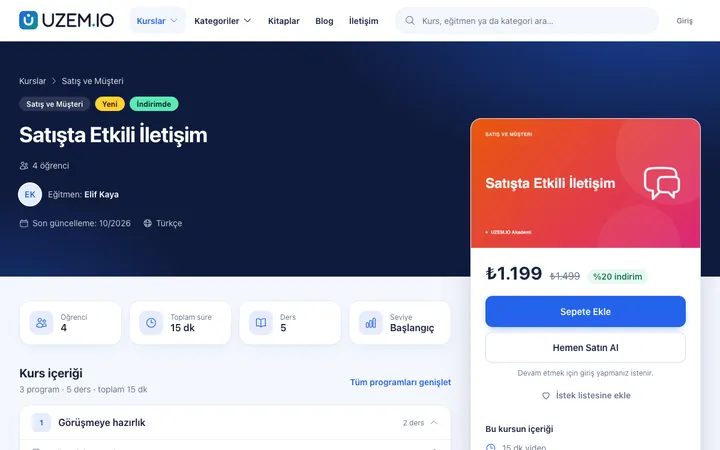
Sales page on the storefront
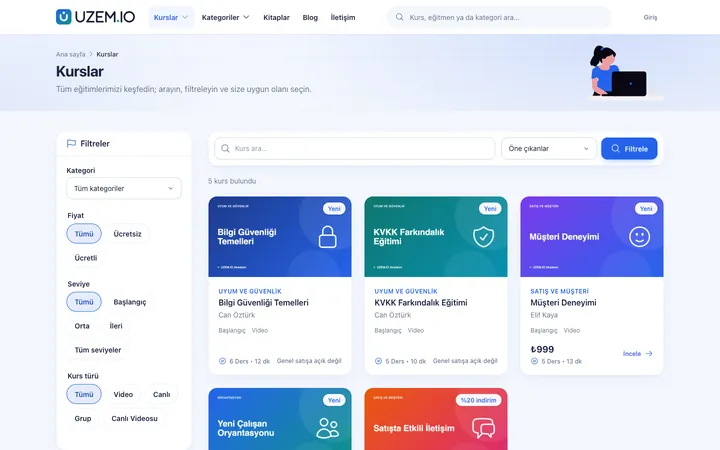
Course catalog on the storefront
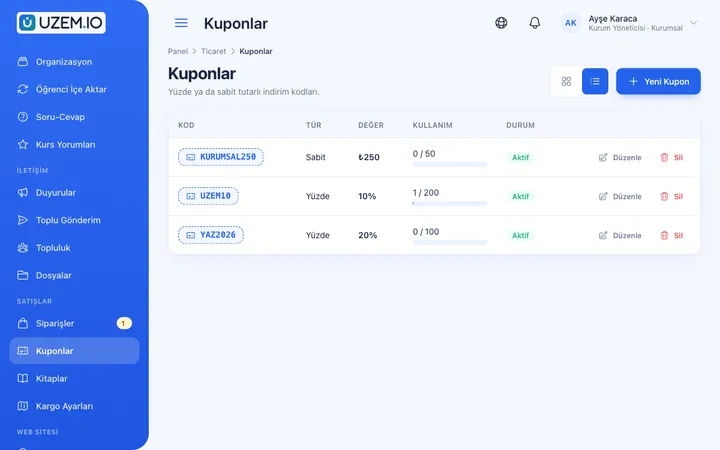
Coupon management
Before and after
Before
The payment link is separate, and course access is opened by hand.
Next
Enrollment opens automatically once payment is confirmed.
Before
Bank transfers are tracked through receipts sent by message.
Next
Bank transfer orders wait in the dashboard and are completed on approval.
Before
Refunds happen off the books.
Next
Refunds are processed through the order and show up in reports.
Frequently asked questions
The 5 most frequently asked questions.
Can't find the answer you're looking for?
Browse the help center or write your question to us.
Which payment methods can I use?
You can accept card payments with your own PayTR or iyzico account and accept bank transfers.
Who opens the payment provider account?
The PayTR or iyzico account is opened in your organization's name; the contract and commission terms are between you and the payment provider.
Are invoices issued?
Invoicing for your sales is your organization's responsibility; order records can be used in that process.
How is shipping handled for book sales?
For book orders, you define shipping settings and track shipping details through the order.
Do I have to sell?
No. You enable the sales infrastructure only when you need it; internal academies work without sales.
Solutions that use this feature
- Member Training Offer seminars, courses and announcements to association, chamber and foundation members from one address; record attendance and completion, and open courses for a fee if you like.
- Live Training Management If Zoom links, attendance lists and recordings are scattered everywhere: schedule live sessions inside the course, record attendance automatically and add the session recording to the lesson.
- Launch an Online Academy Quickly launch an online academy on your own domain and under your own brand, without setting up servers, a software team or a separate payment system.
- Course Sales Sell courses, live training and books from your own storefront: cart, coupons, payment via PayTR, iyzico or bank transfer, and order management in one dashboard.
- Certificate Programs Combine training, exams and certification in one flow: you set the success criteria, the certificate is generated automatically, and third parties verify its authenticity with a QR code.
- Continuing Professional Development Help professionals stay current throughout their careers by gathering seminars, courses and certificate programs in one development academy, with attendance history kept on each person’s record.
Industries that benefit from this feature
Features in the same category
Set up your academy today
- No credit card details required
- Automatic setup
- You can connect your domain later