






Corporate & commercial
Have your sales team present the product the way you do
When the price list changes or a competitor comes in with a new offer, getting that information to the field should not wait for a week-long round of meetings. Publish short product videos and the launch session on UZEM, verify knowledge with an exam, and see in the report which team is ready to meet customers.
- 7 units
- 6 categories
- 3 sample courses

Why does knowledge go stale so fast in a sales team?
Sales teams work spread out in the field, on the phone and at dealer counters, while pricing, promotion and competitor information change every quarter. When knowledge is passed on through meeting slides, how much a rep remembers stays invisible until they face a customer. On UZEM, product content is updated in one place, verified with a launch exam, and which team is ready shows up in the sales manager's report.

- Up-to-date product content The product lesson is updated in one place, so outdated slide decks stop circulating in the field.
- Pre-launch measurement Run a launch exam with questions selected from a pool and shuffled, and see who knows the product.
- Lessons between visits Between customer visits, a rep watches a product video a few minutes long in their phone browser.
- Product certificate Reps who pass the exam receive a product certificate verifiable by QR code.
- Team competition Points, badges, levels and an optional leaderboard bring training closer to the pace of sales.
- Hands-on assignments A sample presentation or written objection response is collected as an assignment, and the instructor grades it and gives feedback.
- Dealers in the same academy Dealer sales staff are trained in their own unit, and certificate status is tracked by dealer.
Industry challenges and solutions
Problem
Field reps visit customers with last quarter's slide deck.
Solution
The product lesson is updated in one place and the change is announced; everyone opens the same current content, and old files stop circulating.
Problem
It takes weeks for a new rep to be ready for their first sales call.
Solution
An onboarding program of product fundamentals, call flow and objection handling lessons is assigned the day they join the team, with lessons unlocking across the days.
Problem
Launch training happened, but no one measured whether the team really knows the product.
Solution
A launch exam with a passing score is added; questions come from a pool organized by product group, and results are visible by team.
Problem
Because reps are in the field, not everyone can attend the launch meeting.
Solution
The launch runs live over Zoom and attendance time is recorded; those who miss it watch the recording in the same course and take the exam.
Problem
Head office cannot see how dealers present the product.
Solution
Dealer sales staff are kept in their own unit; the product certificate is granted by exam, and who is certified is reported by dealer.
Problem
Presentation skills cannot be measured with a multiple-choice test.
Solution
Reps are asked to submit a sample presentation file or written objection response as an assignment; the instructor evaluates it with a grade and feedback.
Problem
Under quota pressure, training is always put off.
Solution
Points, badges and levels are set for completing lessons and exams; if you wish, a leaderboard makes team competition visible.
Who uses it?
Field sales rep
Before a customer visit, reviews the product comparison and objection responses in five minutes in the parking lot from their phone browser.
Inside sales rep
Works through the flow of the first phone call, needs analysis questions and post-proposal follow-up discipline in short lessons.
Customer success specialist
Learns approaches to usage reviews with existing customers, renewal conversations and spotting upsell opportunities.
Dealer sales staff
Completes the product fundamentals training to present the brand's product family correctly, and earns the product certificate by passing the exam.
Product and marketing team
Translates positioning, campaign messaging and competitor comparisons into the sales team's language and publishes them as a launch package.
Sales manager / regional manager
Sees product exam scores for reps on the team in a report filtered to their own team and plans coaching conversations based on the results.
Use cases
- Launch package Gather the product video, competitor comparison document, live Q&A session and launch exam into one course and assign it to the Sales unit before the launch.
- New rep ramp-up program Devote the first two weeks to lessons on the product family, call flow and the CRM logging habit, with a new section opening each day.
- Product certification Require passing an exam before selling a specific product group; the QR-verified certificate can also be checked by dealers and customers.
- Dealer sales training Give dealer staff product training in an academy that opens with your brand; track who at which dealer has finished the training and passed the exam.
- Negotiation and presentation workshop Practice techniques in a live session, then ask participants for a sample presentation as an assignment and evaluate it with instructor feedback.
Features you'll use
Video Training
Publish your video lessons through a secure video infrastructure and record viewing progress for each lesson.

Exams
Measure learning with timed exams and quizzes; you decide the passing score, attempts, question shuffling and result visibility.
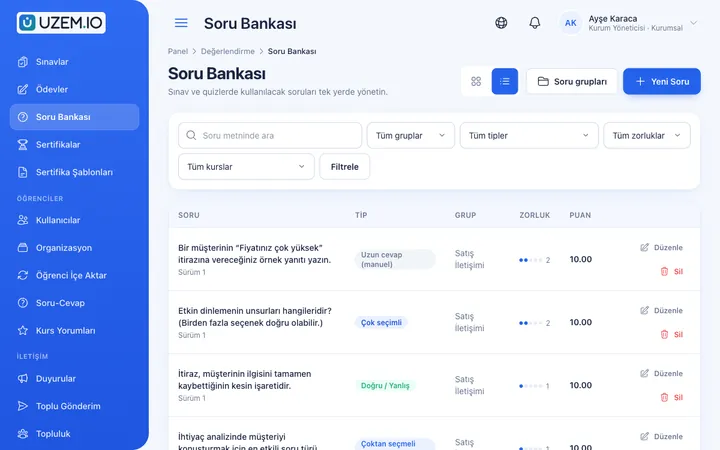
Question Bank
Prepare your questions once with groups, difficulty levels and explanations, then reuse them across different exams.
Certificates
Automatically issue certificates in your own design, verifiable by QR code, to everyone who completes a course.

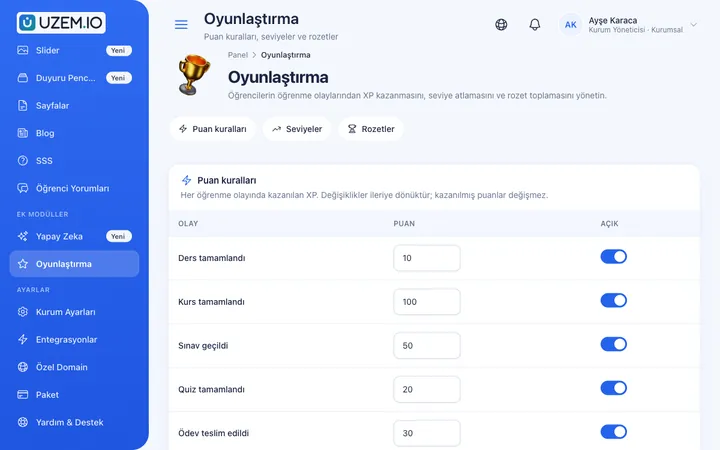
Gamification
Use points, badges, levels and leaderboards to make steady learner effort visible and motivating.
Live Training
Schedule live sessions inside your courses with the Zoom integration; attendance is recorded and session recordings are added to the course as video lessons.

Organization Units
Build your departments, branches, regions and stores as a unit tree; assign training to units and let managers follow their own units in read-only mode.

Reporting
Report on course progress, video viewing, exams, assignments, certificates, live sessions and sales; export to CSV.

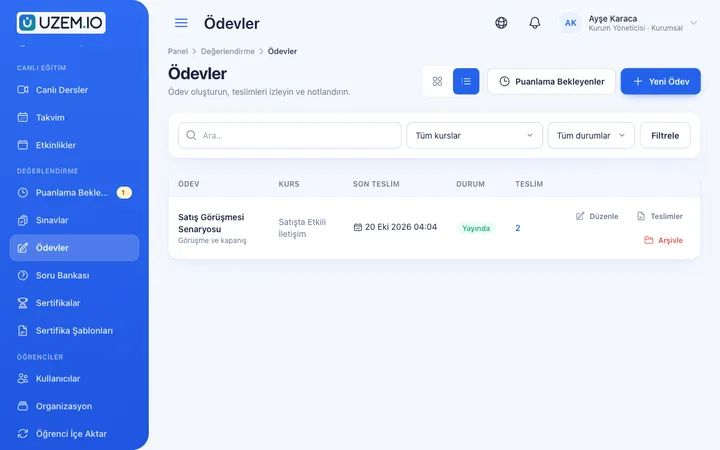
Assignments
Give assignments with due dates; learners submit text or files, and instructors grade them with scores and feedback.
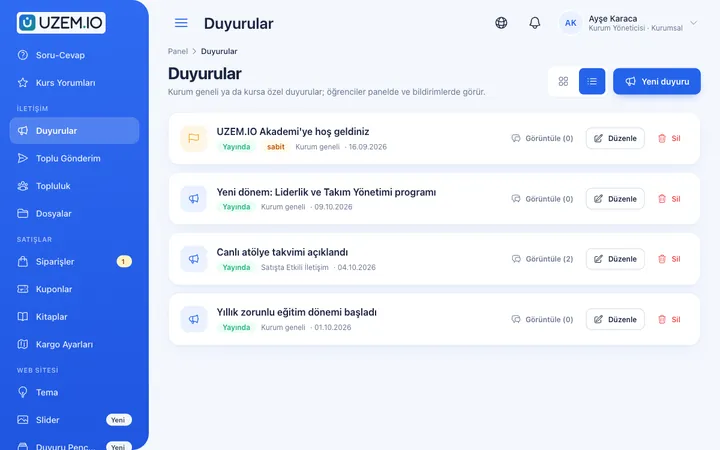
Announcements
Publish announcements to your whole academy or to specific courses, so important information does not get lost in email and chat groups.
This structure comes ready with your academy
No credit card required; explore a dashboard set up with sample content right away.
How your academy is prepared
When you open an account with this industry, the structure below is set up as a draft; you adjust everything to fit your organization.
7 units · 0 categories · 3 sample courses
Your team structure, from directorate to dealer sales
The Sales and Marketing Directorate sits at the top, with the Sales, Marketing and Customer Success teams under it, and Field Sales, Inside Sales and Dealer Sales under the Sales team. When you assign product training to the Sales unit, the field, inside sales and dealer teams are all covered; renewal conversation training goes only to Customer Success.
Sample unit tree
Sample structure: Sales and Marketing Directorate → Sales (Field Sales, Inside Sales, Dealer Sales) / Marketing / Customer Success
- Product Fundamentals Product family, target customer and core benefits; ends with a short test that checks whether the rep can explain the product in one sentence.
- Objection Handling Listening first, then building a response to price, timing and incumbent supplier objections.
- Effective Sales Presentations A short presentation built around the customer's needs that makes the next step clear.
- Needs Analysis Conversation Open-ended questions, active listening and uncovering the customer's decision criteria.
- Negotiation and Closing Preparing for the meeting, a concession plan, seeking mutual gain and putting the agreement in writing.
- CRM Logging Discipline The habit of logging call notes, next steps and opportunity stage completely on the same day.

Measure and document learning
- At least one of the sample courses comes with a short quiz; you edit the questions in the question bank.
- You set the passing score, number of attempts and question shuffling.
- Those who complete receive a certificate verifiable by QR code; the template comes ready.
- You open assignments for hands-on work and grade the submissions.
Which team is ready for the launch?
See field, inside sales and dealer teams side by side: who finished product training, what they scored on the exam, and whether their certificate was issued. Sales managers see only their own team. Who stayed how long in the live launch session is also tracked from the attendance record.
- Launch exam results Breaks down reps' launch exam scores by field, inside sales and dealer teams; the sales manager plans coaching conversations from this list.
- Product certificate report Shows which reps hold the product certificate with a team filter; you direct those missing it to the exam before the launch date.
- Assignment submission report Lists who submitted the sample presentations requested after the negotiation workshop, who did not, and the grade the instructor gave.
- Live launch attendance Shows which reps joined the Zoom launch session and how long they stayed; you ask those who missed it to watch the recording.
Your sales academy opens with this structure: Under the Sales and Marketing Directorate, the Sales, Marketing and Customer Success teams come ready, with Field Sales, Inside Sales and Dealer Sales under Sales. The Product, Sales Techniques, Customer Communication, CRM, Negotiation and Presentation categories are defined. Product Fundamentals, Objection Handling and Effective Sales Presentations are added as drafts, and the gamification and assignment modules are enabled.
Rollout steps
-
Set up the team structure
Adjust the preset Directorate, Sales, Marketing, Customer Success and sub-sales teams to your organization, and make sales managers unit managers.
-
Prepare product content and the question pool
Upload short product videos, create question groups for each product and set the passing score.
-
Add reps to their teams
Place reps in the field, inside sales or dealer team; the onboarding program assigned to the team starts automatically.
-
Measure pre-launch readiness
Track exam results by team, and refer those who did not pass to a coaching conversation with their sales manager.
Solutions for this industry
- Sales Team Training If it takes weeks for the field team to be ready when a new product launches: quickly update and measure your sales team’s knowledge with short video lessons, exams and a leaderboard.
- Product Training If product knowledge is explained differently to every team: deliver the same content to sales, support, dealer and field teams at the same time, and verify it was learned with an exam.
- Partner / Dealer Training If your dealers and partners learn about product changes late and incompletely: use a separate academy that carries your brand to deliver knowledge to every location at once, at the same quality.
- Onboarding / Orientation Instead of explaining the same things to every new hire, schedule the first week: lessons unlock day by day, short quizzes confirm understanding, and managers follow the process.
- Certificate Programs Combine training, exams and certification in one flow: you set the success criteria, the certificate is generated automatically, and third parties verify its authenticity with a QR code.
- Live Training Management If Zoom links, attendance lists and recordings are scattered everywhere: schedule live sessions inside the course, record attendance automatically and add the session recording to the lesson.
Frequently asked questions
The 8 most frequently asked questions.
Can't find the answer you're looking for?
Browse the help center or write your question to us.
Can we add dealer staff to the same academy?
Yes. Keep dealer sales staff in the Dealer Sales team, or each dealer in a separate sub-unit, and assign training intended only for them.
Can reps copy answers from each other in the launch exam?
You can have a set number of questions selected from the question pool for each attempt, and shuffle questions and options, so each rep's exam looks different.
How do field reps access training?
The academy is designed to be comfortable to use in a phone browser; reps can watch a short lesson between visits. An internet connection is required to watch videos.
Are training results combined with sales data from our CRM?
No, UZEM does not offer a ready-made connection to your CRM or other enterprise software. You can export training results as a CSV and evaluate them alongside your own sales data. Zoom can be used for launch sessions, and Netgsm or Mutlucell for bulk SMS to the field team.
Does the leaderboard have to be public to everyone?
No. You can turn point, badge and level rules on or off, and use the leaderboard in a way that fits your team culture.
Can we identify reps without a product certificate?
Yes. Run the certificate report with a team filter to see which reps do not have a certificate.
How do we move our existing product presentations and demo videos into the academy?
Upload demo and product videos from the dashboard and turn them into lessons; price lists, brochures and comparison tables are attached to the relevant course as PDFs or files. Enter launch questions into the question bank organized by product group. You can import the rep list with a CSV; importing ready-made lesson package files is not supported.
How does pricing change as our sales team grows?
Plans are set by active user capacity; when you deactivate a rep who leaves, you use the freed-up license for a new rep. Find current plans on the Pricing page, and upgrade your plan from the dashboard as your team grows.
Industries in the same group
Set up your academy for Sales and Marketing Teams today
- No credit card details required
- Automatic setup
- You can connect your domain later