










Content & video
In all plansFiles
Add lesson notes, handouts, forms and guides to a course or to the whole academy, so learners reach the current document in one place.
Industries that benefit from this feature
- Franchise and Dealer Networks
- Logistics and Transportation
- Industry and Manufacturing
- Banking and Finance
- Pharmaceuticals
- Medical Devices
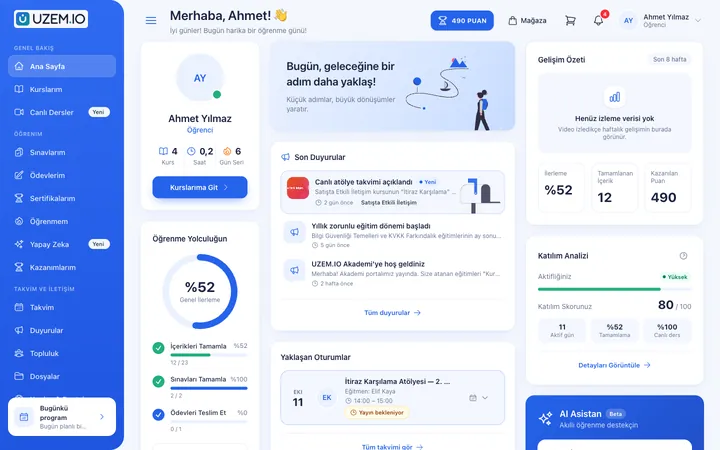
The current version, always in the same place
When training documents circulate as email attachments, everyone ends up with a different version. In UZEM, you add files to the relevant course or to the whole academy. Files are kept in private storage, not in a public folder; only users with access can download them.
- A single source of truth When a document is updated, learners get the new version in the same place.
- Access control A file added to a course can only be downloaded by people with access to that course.
- An organized resource area Forms, handbooks and guides sit next to the course, in context.
What can you do?
-
Course-specific files
Add lesson notes, slides and handouts to the relevant course.
-
General files
Publish documents everyone needs across the whole academy.
-
Private storage
Files are stored privately under server-generated names and downloaded only after a permission check.
Before and after
Before
Documents are sent by email, and old versions stay in circulation.
Next
Documents live in the academy, always in their current version.
Before
Shared folder links are open to everyone.
Next
Files are available only to authorized users.
Frequently asked questions
The 3 most frequently asked questions.
Can't find the answer you're looking for?
Browse the help center or write your question to us.
Which file types can I upload?
You can upload common document types such as PDFs, office documents and images. For security, the file type is verified from its content.
Are files public?
No. Files are kept in private storage, and only users with access can download them.
Is storage space limited?
Storage usage depends on your plan; details are on the pricing page.
Solutions that use this feature
- Onboarding / Orientation Instead of explaining the same things to every new hire, schedule the first week: lessons unlock day by day, short quizzes confirm understanding, and managers follow the process.
- Product Training If product knowledge is explained differently to every team: deliver the same content to sales, support, dealer and field teams at the same time, and verify it was learned with an exam.
- Student Training Bring lessons, assignments, exams and live classes together on a single student platform for schools, course centers and universities; see where every student stands in the progress report.
- Live Training Management If Zoom links, attendance lists and recordings are scattered everywhere: schedule live sessions inside the course, record attendance automatically and add the session recording to the lesson.
Industries that benefit from this feature
Features in the same category
Set up your academy today
- No credit card details required
- Automatic setup
- You can connect your domain later