







What do you want to achieve?
Product Training
If product knowledge is explained differently to every team: deliver the same content to sales, support, dealer and field teams at the same time, and verify it was learned with an exam.
Suitable industries
- Sales and Marketing Teams
- Retail and Store Chains
- Franchise and Dealer Networks
- Banking and Finance
- Insurance
- Pharmaceuticals
- Medical Devices
- Cosmetics / Beauty

Let knowledge update as fast as the product changes
As a product range grows, every new model, formula or version brings new information for teams to learn. When that information stays in presentation files, it reaches the field late and incomplete. With UZEM you prepare short, focused courses for each product or product family. Technical data sheets are attached as files, critical information is verified with exams generated from the question bank, and when a new product launches, everyone is informed through announcements and notifications.
Problems and solutions
Problem
New product information reaches the field weeks later.
Solution
Launch content is published as a course, assigned to the relevant units and announced to everyone the same day with a notification.
Problem
Teams do not know which version of the product documentation is current.
Solution
Technical data sheets and brochures are kept in one place as course files; when they are updated, everyone sees the new version.
Problem
Whether product knowledge was really learned cannot be measured.
Solution
Short exams generated from the question bank verify critical information, and the results are reported.
Problem
Long product training never gets completed.
Solution
Content is split into short lessons; employees learn a product in a few minutes and move on to the next.
Who is it for?
Product and marketing teams
Teams that want to pass launch information to sales and field teams in a consistent voice.
Sales and store staff
Employees who need short, current content to present the product correctly to customers.
Technical support teams
Teams that need to know product details, common issues and their solutions.
Dealers and distributors
Partners who present your product to their own customers.
Use cases
- Launch training A short program on the new product’s features, target audience and what sets it apart from competitors.
- Product catalog academy A separate course for each product family; employees return to the relevant course whenever they need it.
- Technical specifications exam Exams that draw random questions from the question bank for roles that need to know product details.
- Version and formula updates Communicate changed features to the relevant teams with a short lesson and an announcement.
Features used
Course and Program Management
Organize your courses into programs and lessons; bring video, text, PDF, files, exams and live sessions together in a single flow.
Video Training
Publish your video lessons through a secure video infrastructure and record viewing progress for each lesson.

Files
Add lesson notes, handouts, forms and guides to a course or to the whole academy, so learners reach the current document in one place.
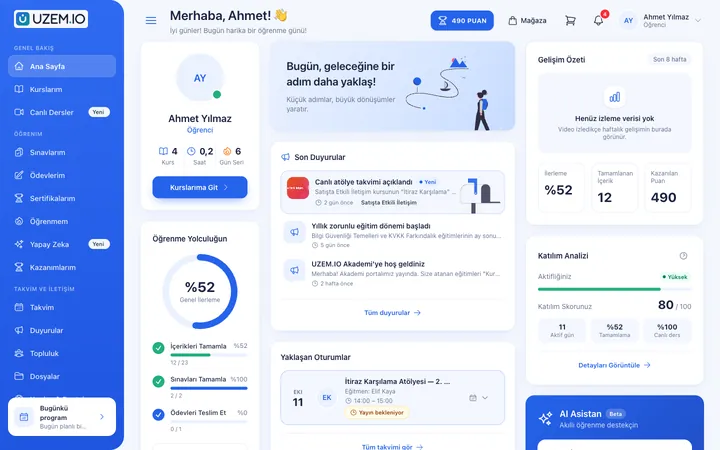
Exams
Measure learning with timed exams and quizzes; you decide the passing score, attempts, question shuffling and result visibility.

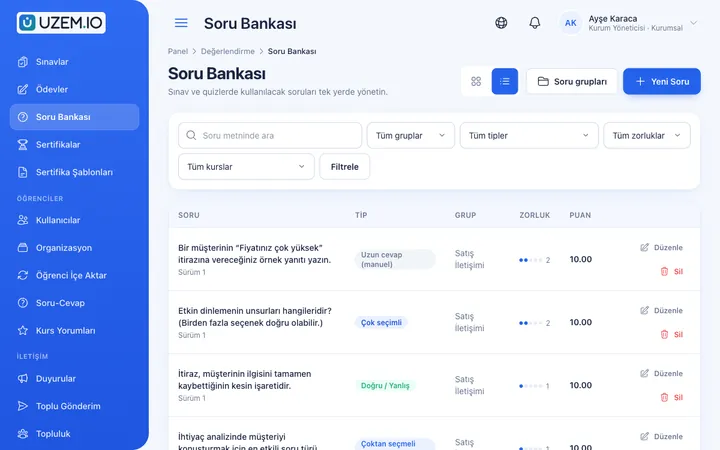
Question Bank
Prepare your questions once with groups, difficulty levels and explanations, then reuse them across different exams.
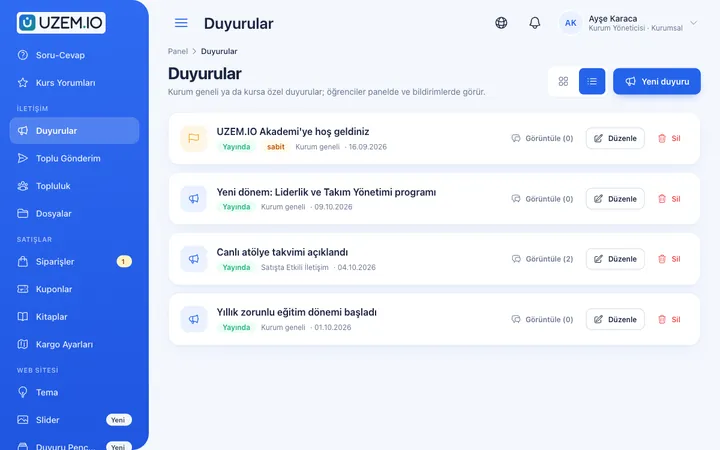
Announcements
Publish announcements to your whole academy or to specific courses, so important information does not get lost in email and chat groups.
Notifications
Deliver events such as announcements, exam results and assignment grades through in-app notifications and email; send bulk messages.

Reporting
Report on course progress, video viewing, exams, assignments, certificates, live sessions and sales; export to CSV.

Organization Units
Build your departments, branches, regions and stores as a unit tree; assign training to units and let managers follow their own units in read-only mode.

Try this setup in your own academy
No credit card required; explore a dashboard set up with sample content right away.
How does it work?
-
Structure product knowledge
Organize product families as categories and each product as a course or section.
-
Add content and files
Build lessons with short intro videos, technical data sheets and visuals.
-
Set up the question bank
Add questions for each product to the bank and generate exams from them.
-
Assign and announce
Assign courses to the relevant units and publish an announcement on launch day.
Sample courses
- New Series Launch The series’ key features, who it suits and frequently asked questions.
- Product Comparison Guide Differences between products in the same family and choosing the right product for the customer’s needs.
- Reading Technical Data Sheets How to read technical documents and explain them to customers in plain language.
- Product Knowledge Assessment A final exam generated from the question bank with a set passing score.
Product knowledge status by team
Reports show which team has completed which product training and how they performed on exams. Filter by unit to see the product knowledge level of a region or store, and export the results as CSV.
Frequently asked questions
The 4 most frequently asked questions.
Can't find the answer you're looking for?
Browse the help center or write your question to us.
Should we create a separate course for each product?
It is up to you. You can create one course per product family with each product as a section, or publish each product as a separate course.
Are exam questions the same every time?
You can generate exams from the question bank, so you can reuse the same question pool across different exams.
Can we make product documents downloadable?
Yes. You can attach technical data sheets, brochures and similar documents as course files.
How do we announce new product training to everyone?
After assigning the course to the relevant units, you can publish an announcement and inform participants through notifications.
Set up your academy today
- No credit card details required
- Automatic setup
- You can connect your domain later