






Who are you training?
Partner / Dealer Training
If your dealers and partners learn about product changes late and incompletely: use a separate academy that carries your brand to deliver knowledge to every location at once, at the same quality.
Suitable industries
- Sales and Marketing Teams
- Franchise and Dealer Networks
- Insurance
- Medical Devices
- Cosmetics / Beauty

Let your dealer network present your brand as well as you do
Dealers and partners speak to customers on your behalf. If their product knowledge is incomplete or out of date, the brand pays the price. With UZEM you set up a separate academy for your dealer network, opening on your own domain with your logo. You define each dealer as a unit, assign training to the entire network or to specific regions, and follow each dealer’s progress in reports.

Problems and solutions
Problem
New product information reaches dealers through emails and brochures, and no one knows how much is read.
Solution
Product launches become short video lessons and exams; reports show which dealer has completed the content.
Problem
Dealer staff turn over often, and training is repeated for every new person.
Solution
New staff added to a dealer unit are automatically enrolled in assigned training and complete the core program on their own.
Problem
Regional managers learn their dealers’ status by requesting reports from headquarters.
Solution
Unit managers follow their dealers’ data directly on read-only screens.
Problem
The training environment offered to partners does not reflect the brand.
Solution
The academy opens on your own domain with your logo and colors, so partners meet your brand.
Who is it for?
Manufacturers selling through dealer networks
Manufacturers and brands that want their product presented correctly at hundreds of points of sale.
Companies managing distributors and partners
Companies that need to deliver technical and commercial training to solution partners on a regular basis.
Regional and channel managers
Managers who want to see the training status of their dealers on their own screens.
Organizations with a supply chain
Organizations that want to explain quality, delivery and safety rules to suppliers in a standard way.
Use cases
- New product launch Before launch, assign all dealers a short program covering product features, the target customer and sales arguments.
- Dealer authorization program Design the training and exam required to sell specific products, and award a certificate to those who pass.
- Technical service and installation training Explain installation and maintenance steps with video lessons and verify service staff knowledge with an exam.
- Campaign and seasonal updates Deliver seasonal campaigns to the whole network at once through announcements and live sessions.
- Supplier training Define your suppliers as separate units; explain your quality standards, delivery rules, packaging and workplace safety expectations in short courses, and confirm they were read with an exam.
Features used
Course and Program Management
Organize your courses into programs and lessons; bring video, text, PDF, files, exams and live sessions together in a single flow.
Video Training
Publish your video lessons through a secure video infrastructure and record viewing progress for each lesson.

Organization Units
Build your departments, branches, regions and stores as a unit tree; assign training to units and let managers follow their own units in read-only mode.

Exams
Measure learning with timed exams and quizzes; you decide the passing score, attempts, question shuffling and result visibility.

Certificates
Automatically issue certificates in your own design, verifiable by QR code, to everyone who completes a course.

Reporting
Report on course progress, video viewing, exams, assignments, certificates, live sessions and sales; export to CSV.

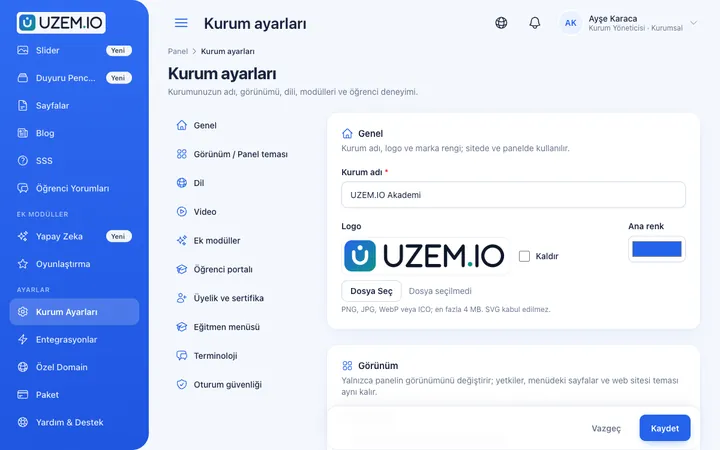
White Label / Branding
Present your academy entirely under your own brand with your logo, colors, fonts and choice of theme.
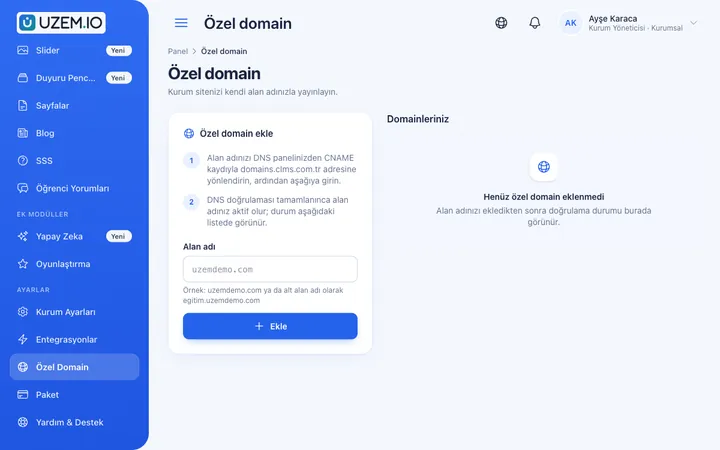
Custom Domain
Publish your academy on your own domain, with verification and SSL certificate handled automatically.
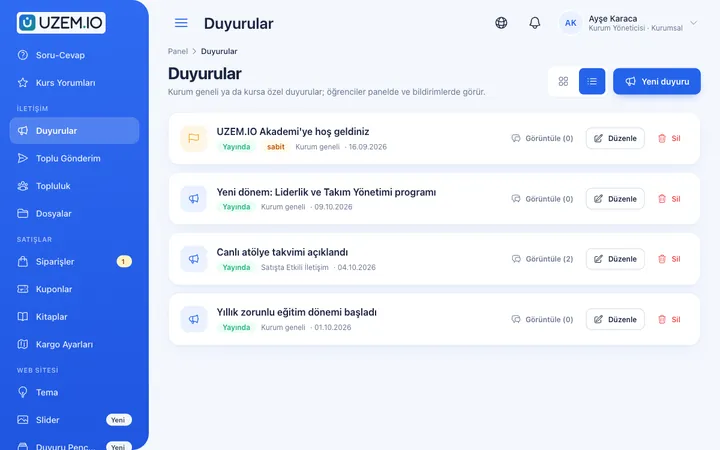
Announcements
Publish announcements to your whole academy or to specific courses, so important information does not get lost in email and chat groups.
Live Training
Schedule live sessions inside your courses with the Zoom integration; attendance is recorded and session recordings are added to the course as video lessons.

Try this setup in your own academy
No credit card required; explore a dashboard set up with sample content right away.
How does it work?
-
Define your network
Build your region, dealer and supplier structure as a unit tree, and make regional managers read-only unit managers.
-
Prepare the training catalog
Create product, sales, technical service and process training as courses.
-
Assign
Assign courses to the whole network or to specific regions; sub-units and new staff are included automatically.
-
Measure and document
Track exam and completion results per dealer and document competence with certificates.
Sample courses
- Product Family Overview Differences between product groups, which product to recommend to which customer, and frequently asked questions.
- Dealer Sales Process What the quote, order, delivery and after-sales support steps mean on the dealer side.
- Installation and Maintenance Basics Step-by-step installation videos, checklists and a final exam.
- Supplier Quality Standards Acceptance criteria, packaging and labeling rules, and the steps to follow in case of nonconformity.
Visibility by dealer and region
Reports show each dealer’s and region’s training progress, exam success and certificates issued. You can export reports filtered by unit as CSV and use them in channel meetings.
Frequently asked questions
The 5 most frequently asked questions.
Can't find the answer you're looking for?
Browse the help center or write your question to us.
Can we keep the dealer academy separate from our company academy?
Yes. You can open a separate academy for your dealer network, or define dealers as separate units within the same academy so they only see the training assigned to them.
Which dealers’ data do regional managers see?
They see, read-only, the data of the region they are assigned to as unit manager and the dealers under it.
Can the academy run on our own domain?
Yes. You can connect your custom domain and publish the academy with your logo and colors.
Can we train suppliers with the same structure?
Yes. You can define suppliers as separate units, assign them dedicated training and track completion in the same reports.
What happens to the license when dealer staff change?
Only active learners count toward the license; when you deactivate staff who have left, the license is freed up for new staff.
Industries using this solution
Set up your academy today
- No credit card details required
- Automatic setup
- You can connect your domain later