




Education
One academic roof for distance education, continuing education and faculties
Let departments share lecture recordings and materials throughout the term, the distance education center manage the live session calendar, and the continuing education center open certificate programs for sale on its own page. While each unit works in its own area, the rector's office follows the full picture through reports.
- 7 units
- 5 categories
- 3 sample courses

Keep faculties, distance education and continuing education off separate systems
At a university, departments share course materials in different places, the distance education center plans live sessions separately, and the continuing education center handles certificate program enrollment and payments its own way. This fragmentation makes it hard for both students and the rector's office to see the full picture. In a UZEM academy, faculties, departments and programs sit in a unit tree; term courses and paid continuing education programs run under the same roof without mixing each other's data.

- Faculty-based unit tree Set up faculties, departments and programs as hierarchical units and assign courses directly to the relevant program.
- Read-only view for deans Deans and department heads see only their own units' course progress and exam results, and cannot change the data.
- Live session recordings in the course Recordings of the distance education center's Zoom sessions are transferred to the video infrastructure and linked to the course; students return to the same page to review.
- Sales infrastructure for continuing education Publish certificate programs with their prices on the storefront, take card or bank transfer payments and enroll participants automatically.
- Verifiable continuing education certificates A participant's certificate for a completed program is checked by QR code on the verification page; a revoked certificate shows as invalid.
- Midterm and assignment workflow Run timed midterms with passing scores and attempt limits, and term projects as file-based assignments, in the same course.
- Multilingual course pages Enable a second language for international programs and prepare course and page content separately for each language.
Industry challenges and solutions
Problem
In the hybrid term, lecture recordings are scattered across cloud folders and different systems.
Solution
The Zoom session recording is transferred to the video infrastructure and linked to the relevant course; students find the whole term on one course page.
Problem
Continuing education applications run on forms, payment receipts and email traffic.
Solution
Publish the program with its price on the storefront; participants who pay by card are enrolled instantly, and those who report a bank transfer are enrolled once you approve.
Problem
Employers question the authenticity of continuing education certificates.
Solution
The QR code on the certificate automatically issued to those who pass the final exam leads to a public verification page; a revoked certificate shows as invalid.
Problem
Deans' offices cannot see their own students' status during the term.
Solution
Make deans and department heads unit managers; they track course completion and exam results filtered to their own units.
Problem
Academics moving to distance teaching struggle with course design.
Solution
Assign the course design training prepared by the distance education center to academic units, so material and assessment recommendations sit in one place.
Problem
Administrative staff in-service training is tracked in a separate system.
Solution
Training you assign to the Administrative Units branch opens automatically for new staff too; completion appears on the same report screen.
Who uses it?
Faculty Members
Add weekly course materials and Zoom recordings to the course, prepare assignments and midterms, and grade open-ended questions themselves.
Distance Education Coordination
Plans the live session calendar centrally, checks that session recordings are linked to the right course, and prepares course design guides for academics.
Continuing Education Directorate
Designs certificate programs open to the public, prices them and puts them on the storefront, creates coupons for corporate agreements and manages issued certificates.
Department Heads and Deans
See the course, assignment and exam data of their own faculty or department; they cannot change content or assignments.
Students and Continuing Education Participants
Reach the course they are enrolled in or the program they purchased from one dashboard; watch recordings, submit assignments and take exams.
Administrative Staff
New hires complete training on the institutional structure and core workflows, and current staff complete in-service training such as information security.
Use cases
- Support archive for in-person classes Keep weekly slides, reading lists and lecture recordings on the course page throughout the term, and collect assignment submissions in the same place.
- Continuing education certificate programs Design project management, data analysis or language programs with modules, live sessions and a final exam, and sell them as paid programs.
- Custom continuing education for organizations Under an agreement with a company, give employees a coupon code; participants enroll at the agreed price, and you track how many times the coupon was used from the dashboard.
- Live session management for distance education Add live sessions to the course flow; they appear on the calendar automatically, recordings are linked to the archive and attendance times are recorded.
- Summer school and preparatory classes Open short-term programs as separate courses and release weekly sections in sequence with scheduled content.
- Staff in-service training Assign an institutional introduction for new academic and administrative staff, and information security training for current staff, to units.
Features you'll use
Course and Program Management
Organize your courses into programs and lessons; bring video, text, PDF, files, exams and live sessions together in a single flow.

Live Training
Schedule live sessions inside your courses with the Zoom integration; attendance is recorded and session recordings are added to the course as video lessons.
Video Training
Publish your video lessons through a secure video infrastructure and record viewing progress for each lesson.

Exams
Measure learning with timed exams and quizzes; you decide the passing score, attempts, question shuffling and result visibility.

Assignments
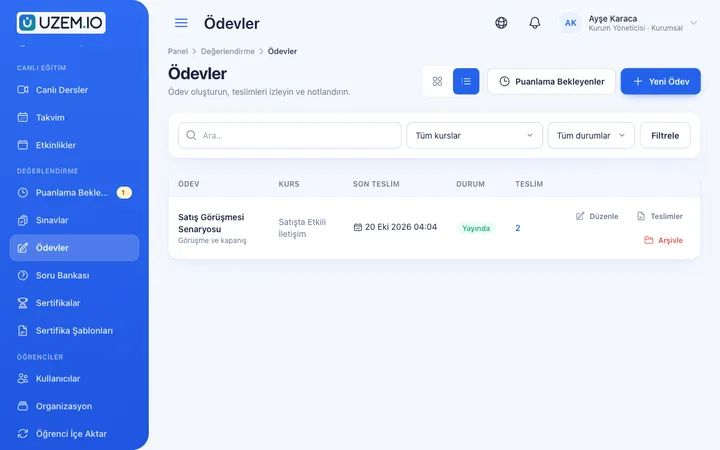
Give assignments with due dates; learners submit text or files, and instructors grade them with scores and feedback.
Certificates
Automatically issue certificates in your own design, verifiable by QR code, to everyone who completes a course.

Course Sales
Sell courses and books from your own academy with a cart, orders, PayTR, iyzico or bank transfer payments, and refunds.

Course Storefront
Manage your academy's public website with a course catalog, course landing pages, sliders, pop-ups, a blog and FAQs.

Organization Units
Build your departments, branches, regions and stores as a unit tree; assign training to units and let managers follow their own units in read-only mode.

Reporting
Report on course progress, video viewing, exams, assignments, certificates, live sessions and sales; export to CSV.

Security and Access
Control who accesses your academy and from where with two-factor authentication, a single-session rule, watermarked and signed video playback, and sign-in and account sharing reports.
This structure comes ready with your academy
No credit card required; explore a dashboard set up with sample content right away.
How your academy is prepared
When you open an account with this industry, the structure below is set up as a draft; you adjust everything to fit your organization.
7 units · 0 categories · 3 sample courses
Faculties, departments, programs and centers
Set up academic units in faculty → department → program order, and the distance education center (UZEM), continuing education center (SEM) and administrative units as separate branches under the university. When you assign a course to a department, students in the programs below are covered too; a dean sees their entire faculty, and a department head only their own department. Continuing education participants enroll in programs through purchase, so they do not mix with the academic tree.
Sample unit tree
Sample structure: Sample University → Faculty of Engineering (Computer Engineering → Undergraduate Program) / UZEM / SEM / Administrative Units
- Continuing Education Certificate Program – Introduction to Project Management The project concept, stakeholders, work breakdown structure, schedule and risks; completed with a final exam and certificate.
- In-Service Training – New Staff The university's structure, institutional communication channels, frequently used workflows and personal data protection.
- Course Design for Distance Teaching Starting from learning outcomes, weekly course structure, frequent low-stakes assessment and originality in assignments.
- Academic Integrity and Citation A short course for students on citation rules, avoiding plagiarism and ethical conduct in assignments.
- Applied Data Analysis Certificate Program A paid continuing education program that progresses with weekly live sessions, hands-on assignments and a capstone project.
Measure and document learning
- At least one of the sample courses comes with a short quiz; you edit the questions in the question bank.
- You set the passing score, number of attempts and question shuffling.
- Those who complete receive a certificate verifiable by QR code; the template comes ready.
- You open assignments for hands-on work and grade the submissions.
Visibility from the dean's office to continuing education
Use faculty, department and program filters to see course viewing status, assignment submissions and midterm results. On the continuing education side, track the earnings report, participant progress and issued certificates; export the lists you need as CSV.
- Course tracking report by program When you select a unit such as the Computer Engineering undergraduate program, it shows course viewing status and student progress; the department board uses it in the term review.
- Midterm results report Lists exam scores and pass status with a faculty or department filter; results are exported as CSV and added to the department archive.
- Instructor live session hours Shows the live session time faculty members delivered during the term; the distance education center plans teaching loads with this data.
- Continuing education earnings report Shows how much revenue each certificate program brought in; continuing education management prepares the term budget with this breakdown.
- Continuing education certificate report Lists certificates issued and revoked during the term; it is the reference point for certificate inquiries after graduation.
Your university platform is ready: Under Sample University we set up the Faculty of Engineering → Computer Engineering → Undergraduate Program chain and the UZEM, SEM and Administrative Units branches. Along with the Academic Program, Certificate Program, Live Training, Professional Development and In-Service Training categories, the sample programs Introduction to Project Management (with a final exam), New Staff and Course Design for Distance Teaching are ready too.
Rollout steps
-
Build the academic tree
Replicate the sample faculty-department-program structure with your own units, and make deans and department heads unit managers.
-
Choose a pilot department and a single continuing education program
Publish one department's courses and one certificate program to test the course flow, payment and certificate steps end to end.
-
Open the continuing education storefront and payments
Enter the PayTR or iyzico merchant details opened in your university's name, add bank details for transfers, and publish programs with their prices.
-
Roll out to faculties
Add the other faculties and use unit-based reports to track how much each department uses the platform.
Solutions for this industry
- Certificate Programs Combine training, exams and certification in one flow: you set the success criteria, the certificate is generated automatically, and third parties verify its authenticity with a QR code.
- Course Sales Sell courses, live training and books from your own storefront: cart, coupons, payment via PayTR, iyzico or bank transfer, and order management in one dashboard.
- Student Training Bring lessons, assignments, exams and live classes together on a single student platform for schools, course centers and universities; see where every student stands in the progress report.
- Live Training Management If Zoom links, attendance lists and recordings are scattered everywhere: schedule live sessions inside the course, record attendance automatically and add the session recording to the lesson.
- Branch / Unit-Based Training Bring your branch, store, region and department structure into the academy: assign training to a unit, enroll newcomers automatically, and let each manager see only their own unit’s status.
- Employee Training If training is scattered across emails, folders and class lists: gather all employee training in one corporate academy, assign it to people or units, and see who completed it in the report.
Frequently asked questions
The 8 most frequently asked questions.
Can't find the answer you're looking for?
Browse the help center or write your question to us.
Can we connect to our student information system or institutional email accounts?
We do not offer a ready-made connection to your student information system or institutional email accounts; everyone signs in with their own platform account. You can import student lists with a CSV file at the start of the term or send invitations. The ready-made integrations universities can use are Zoom for distance education live sessions, PayTR and iyzico for continuing education payments, Netgsm and Mutlucell for announcement SMS, and the WhatsApp contact button on the continuing education storefront.
How does a continuing education participant enroll in a program after paying?
For card payments the participant is enrolled automatically when the order is completed; for bank transfers, when you approve the payment.
Does a continuing education certificate replace a diploma or official document?
No. The certificate proves that the participant completed the continuing education program and can be checked on the verification page; official equivalence and validity depend on your university's regulations and the rules of the relevant authorities.
Can a dean see other faculties' data?
No. A dean sees only their own faculty and its departments and programs; other faculties do not appear on their screen.
What happens to licenses when the term ends?
Only active users count toward licenses. Simply deactivate students whose summer school has ended or who have graduated; their completed courses and continuing education certificates stay in the records. You can see plans with capacity that fits the total active count of faculty students and continuing education participants on the Pricing page, or request a quote from us for high capacity.
Can we offer English content for international students?
Yes. You can enable more than one language in the academy and prepare course and page content for each language; content is not translated automatically.
How do departments bring over archived lecture recordings and notes?
Upload lecture videos from previous terms from the admin dashboard, and attach lecture notes and reading lists to the relevant course as PDFs or files. Midterm questions are entered into the question bank; there is no feature for importing ready-made course packages from another learning platform.
Can we set up the faculty and department structure in bulk?
Yes. You can bulk-upload faculty, department and program units, and which unit each student belongs to, with a CSV file; the import is processed in the background and invalid rows are shown in a summary.
Industries in the same group
Set up your academy for University today
- No credit card details required
- Automatic setup
- You can connect your domain later