










Platform & brand
In all plansMultilingual Content
Enable more than one language in your academy and prepare course, page and FAQ content for each language.
Industries that benefit from this feature
- Tourism / Hotels / Restaurants / Cafes
- NGOs, Associations and Foundations
Reach learners in different languages from one academy
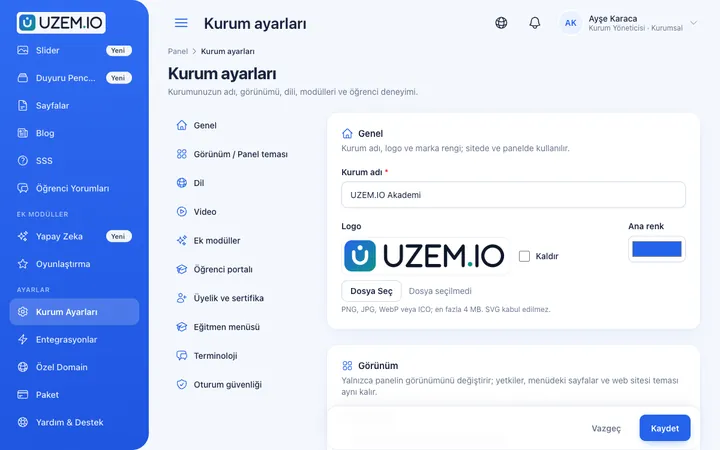
UZEM academies open in Turkish by default. If you have learners, employees or partners who speak other languages, you can add new languages to your academy. Content areas such as courses, pages, blog posts and FAQs are prepared separately for each language; any field left empty in one language is shown with the default-language content. The language switcher appears only when more than one language is enabled, so single-language academies keep a clean interface. Layout support for right-to-left languages is ready.
- One academy, multiple languages You do not need a separate academy for each language.
- No blank pages for missing translations Untranslated fields are shown with the default-language content.
- Local formats Dates, numbers and currency are formatted for the selected language.
What can you do?
-
Active language management
Choose which languages are enabled in your academy settings.
-
Translatable content fields
Enter course, page, blog and FAQ content per language.
-
Conditional language switcher
The language switcher appears only when more than one language is enabled.
-
Right-to-left support
Layout support for languages such as Arabic.
Before and after
Before
A separate platform is used for participants who speak other languages.
Next
The same academy offers content in different languages.
Before
Content with missing translations appears blank.
Next
Missing fields are filled with the default-language content.
Frequently asked questions
The 3 most frequently asked questions.
Can't find the answer you're looking for?
Browse the help center or write your question to us.
Is content translated automatically?
No. You prepare the content for each language; untranslated fields are shown with the default-language content.
Which languages can be added?
Languages that have an interface translation can be enabled.
If we use a single language, is the language switcher shown?
No. The language switcher appears only when more than one language is enabled.
Solutions that use this feature
- Customer Training Cut down the “how do I use this” questions reaching your support team: open a branded training center that teaches customers your product with video lessons, short quizzes and certificates.
- Launch an Online Academy Quickly launch an online academy on your own domain and under your own brand, without setting up servers, a software team or a separate payment system.
Industries that benefit from this feature
Features in the same category
Set up your academy today
- No credit card details required
- Automatic setup
- You can connect your domain later