






Healthcare
A hospital academy even the team coming off a night shift can keep up with
The night shift nurse and the physician starting morning clinic both reach the same training on their own schedule. Publish in-service training with videos and live session recordings, reinforce it with short exams and track attendance by ward and unit.
- 7 units
- 6 categories
- 3 sample courses
Recording in-service training within shift schedules
In a hospital, training competes with on-call and shift rosters; explaining the same topic again and again to different shifts consumes the education nurse's time, and who took which training often stays on sign-in sheets. A UZEM academy brings in-service training together as videos, live sessions and exams in one place. It keeps completion records by ward, and patient information never enters this environment.

- Access regardless of shift A nurse coming off a night shift opens the lesson at a convenient time; the video resumes where they left off.
- Tracking by ward Each ward and unit is defined separately, and the charge nurse sees only their own team's completion status.
- Explain a topic once Record a topic given to all staff, such as hand hygiene, once and deliver the same content to every shift.
- Training measured by exams Measure whether training was understood with short exams generated from the question bank and see results by ward.
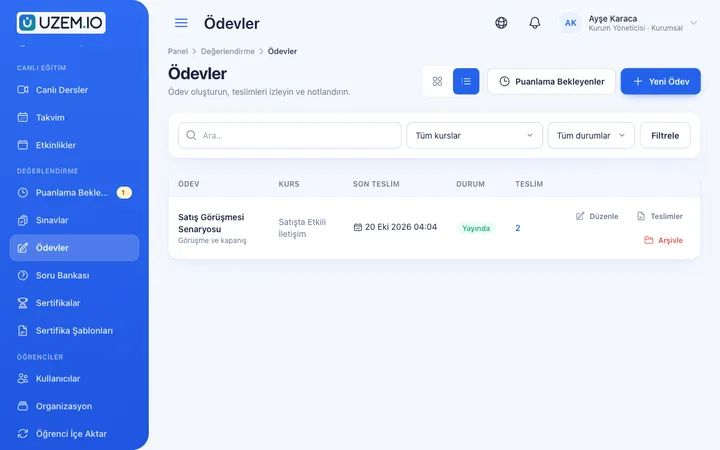
- Training calendar Announce live sessions on the calendar and add the session recording to the course for staff who could not attend.
- Digital records instead of sign-in sheets Which staff member completed which training and when is kept on record and can be exported as CSV.
- Patient data stays out The academy is only for training content and staff progress; cases are presented with de-identified, fictional examples.
Industry challenges and solutions
Problem
With three-shift rotations, gathering everyone in the same room is nearly impossible.
Solution
Publish training as video lessons; recordings of live Zoom sessions are also added to the course, and staff coming off shift continue where they left off.
Problem
Wet-signed attendance sheets get lost, and gathering files before an audit takes days.
Solution
Who completed which training and when, their exam score and how long they stayed in a live session are all recorded and can be transferred to your files with a ward filter.
Problem
Orientation for new staff is explained differently on every ward.
Solution
Prepare a single orientation program and assign it to the hospital unit; every new staff member added to the unit is enrolled automatically.
Problem
It is hard to measure whether training was really understood.
Solution
Add short exams fed by the question bank, and give those who reach the passing score a QR-verifiable certificate.
Problem
When a procedure is revised, it is unclear whether the news reached the night team.
Solution
Add the revised lesson to the course and announce it to the relevant wards; the announcement is delivered in the academy and by email depending on notification settings, and those who have not opened the lesson appear in the report.
Problem
Ward leads cannot see their own team's gaps.
Solution
Make the charge nurse the ward's unit manager so they can see staff with outstanding training without asking the training unit.
Who uses it?
Physicians
Follow clinical protocol updates, scientific meeting recordings and internal case presentations through short video lessons without disrupting a busy clinic schedule.
Nurses
Complete recurring topics such as medication safety, fall risk and infection control between shifts and refresh their knowledge with a short exam.
Laboratory and technical staff
Laboratory, imaging and biomedical teams take specimen intake, device operating instructions and safety procedures as unit-level training.
Administrative staff
Patient admissions, billing and records teams complete training on communication, personal data protection awareness and organization procedures.
Support services
Cleaning, security, catering and patient transport teams receive easy-to-follow training on hygiene rules, waste segregation and emergency duties.
Education nurse / in-service training unit
Builds the annual training plan as courses, assigns them to wards, puts live sessions on the calendar and exports the attendance list from one screen.
Use cases
- In-service training calendar Open the topics the training unit will cover throughout the year as courses, put live sessions on the academy calendar and see periodically which wards are behind.
- A new hire's first week Present topics such as organization introduction, patient rights, infection control and emergency codes in sequential sections; content can unlock day by day.
- Patient safety awareness Reinforce topics such as correct patient identification, fall prevention and safe handoffs with short modules and exams.
- Scientific meeting archive Hold internal case presentations and seminars live, and give the relevant clinical units access to the recordings.
- Support services training Offer cleaning and security teams short videos and visual documents written in plain language.
Features you'll use
Course and Program Management
Organize your courses into programs and lessons; bring video, text, PDF, files, exams and live sessions together in a single flow.

Video Training
Publish your video lessons through a secure video infrastructure and record viewing progress for each lesson.

Live Training
Schedule live sessions inside your courses with the Zoom integration; attendance is recorded and session recordings are added to the course as video lessons.

Exams
Measure learning with timed exams and quizzes; you decide the passing score, attempts, question shuffling and result visibility.

Question Bank
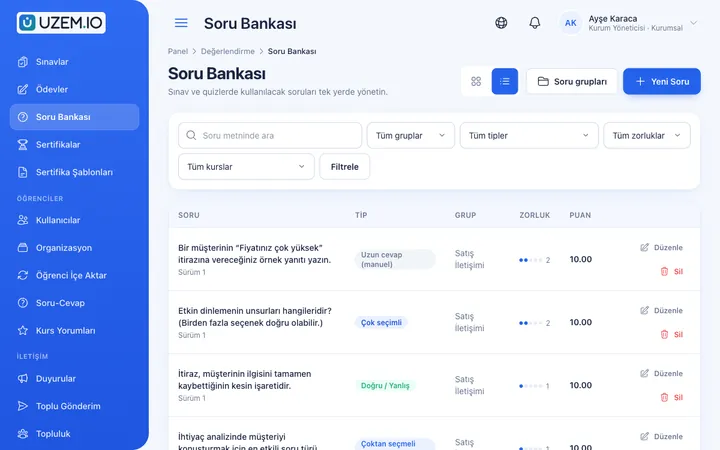
Prepare your questions once with groups, difficulty levels and explanations, then reuse them across different exams.
Certificates
Automatically issue certificates in your own design, verifiable by QR code, to everyone who completes a course.

Reporting
Report on course progress, video viewing, exams, assignments, certificates, live sessions and sales; export to CSV.

Organization Units
Build your departments, branches, regions and stores as a unit tree; assign training to units and let managers follow their own units in read-only mode.

Announcements
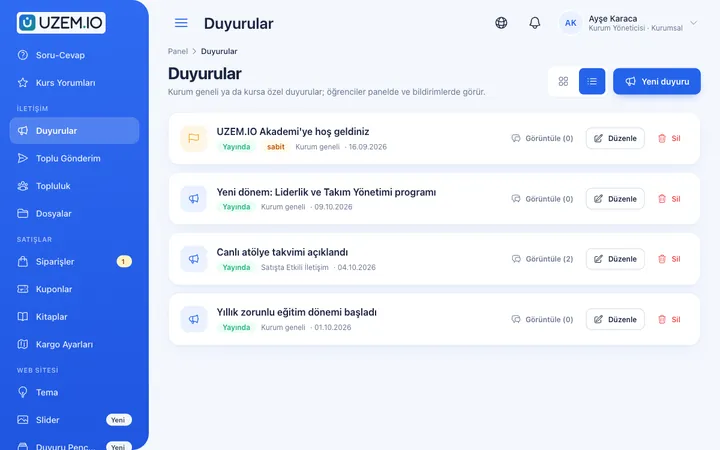
Publish announcements to your whole academy or to specific courses, so important information does not get lost in email and chat groups.
Class Calendar
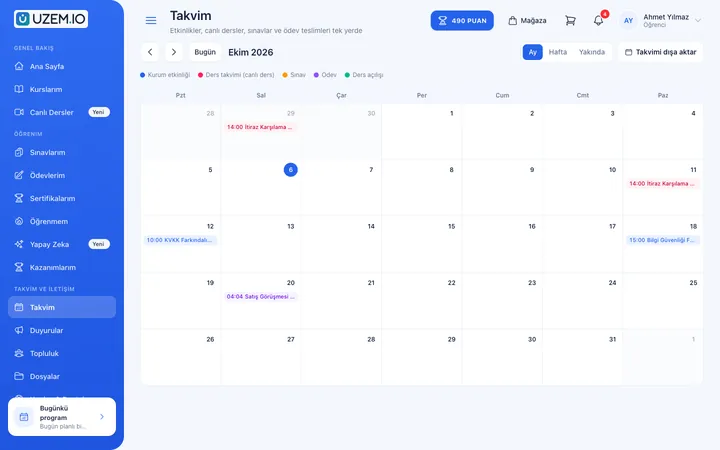
Show live sessions, events and key dates together in each learner's own calendar.
Security and Access
Control who accesses your academy and from where with two-factor authentication, a single-session rule, watermarked and signed video playback, and sign-in and account sharing reports.
This structure comes ready with your academy
No credit card required; explore a dashboard set up with sample content right away.
How your academy is prepared
When you open an account with this industry, the structure below is set up as a draft; you adjust everything to fit your organization.
7 units · 0 categories · 3 sample courses
Wards, laboratories and administrative units in one tree
Set up your hospital as a unit tree: medical and surgical wards, intensive care, laboratory, administrative units and support services sit on separate branches. You can assign infection control training to the entire hospital and a lesson on ventilator care only to intensive care. The ward's charge nurse sees their ward's progress but cannot change it, and a nurse who joins the ward is enrolled in its training automatically.
Sample unit tree
Sample structure: Sample Hospital → Medical Wards / Surgical Wards / Intensive Care / Laboratory / Administrative Units / Support Services
- Introduction to Patient Safety Correct patient identification, fall prevention and safe handoffs; ends with an assessment exam.
- Hand Hygiene and Infection Control Moments for hand hygiene, glove use and correct segregation of medical waste.
- New Staff Orientation Organization structure, work rules, patient rights and what to know in the first week.
- Effective Communication with Patients and Families Training built around example situations on breaking bad news, talking with an angry relative and showing empathy.
- Emergency Codes and Evacuation The meaning of the color codes used at your organization, first response duties and evacuation steps.
- Safe Medication Administration Right patient, right drug, right dose, and the habit of double-checking high-risk medications.
Measure and document learning
- At least one of the sample courses comes with a short quiz; you edit the questions in the question bank.
- You set the passing score, number of attempts and question shuffling.
- Those who complete receive a certificate verifiable by QR code; the template comes ready.
- You open assignments for hands-on work and grade the submissions.
Training records by ward
See which training each staff member completed, their exam score, live session attendance time and certificate date. Filter reports by ward and download them as CSV for your internal quality work and audit files.
- Training completion by ward Filter the course tracking report by ward unit to prepare the in-service training completion list you will submit to the quality unit.
- Infection control exam results The exam performance report shows staff who did not pass the infection control training exam, so the ward lead can plan a repeat accordingly.
- New staff orientation report Track the progress of newly hired nurses and healthcare workers in their orientation courses by unit.
- Training unit live session hours The instructor live session hours report summarizes how much live training the training unit delivered during the period.
Your hospital academy is ready: Under Sample Hospital we set up Medical Wards, Surgical Wards, Intensive Care, Laboratory, Administrative Units and Support Services units, plus Professional Development, Patient Safety, Hygiene, Communication, Orientation and Emergency categories. You can start by updating the sample trainings Introduction to Patient Safety (with an exam), Hand Hygiene and Infection Control and New Staff Orientation with your own procedures and inviting your staff.
Rollout steps
-
Build the unit tree
Add wards, laboratories and administrative units, and set charge nurses up as unit managers.
-
Upload your first training
Update the ready-made sample courses with your own procedures and add your existing training videos and documents.
-
Invite staff
Invite employees together with their units; training assigned to a unit appears in their lists automatically.
-
Track and report
Monitor completion and exam results by ward and pull the attendance breakdown at period end.
Solutions for this industry
- Employee Training If training is scattered across emails, folders and class lists: gather all employee training in one corporate academy, assign it to people or units, and see who completed it in the report.
- Onboarding / Orientation Instead of explaining the same things to every new hire, schedule the first week: lessons unlock day by day, short quizzes confirm understanding, and managers follow the process.
- Mandatory / Compliance Training If you replan KVKK, information security, OHS and internal policy training every year: assign it, verify completion with an exam, and keep a CSV record of who took which training.
- Continuing Professional Development Help professionals stay current throughout their careers by gathering seminars, courses and certificate programs in one development academy, with attendance history kept on each person’s record.
- Branch / Unit-Based Training Bring your branch, store, region and department structure into the academy: assign training to a unit, enroll newcomers automatically, and let each manager see only their own unit’s status.
Frequently asked questions
The 9 most frequently asked questions.
Can't find the answer you're looking for?
Browse the help center or write your question to us.
Does patient data enter the platform?
No. UZEM is a training platform; it is not designed for uploading patient information, test results or medical records, and such data should not be added. If cases are presented in training, de-identified, fictional examples should be used.
What happens if shift staff miss a live training?
Recordings of live sessions held on Zoom are added to the course; staff can watch the recording later and then complete the exam.
Do you meet the training expectations of quality standards such as SKS?
UZEM helps you plan the training topics included in quality standards such as SKS (Turkey's healthcare quality standards) and keep attendance records. Assessing whether a standard is met is the job of your organization and the relevant authority; the platform makes no commitment on this.
Can a ward lead see only their own team?
Yes. The charge nurse sees the data of their own ward and the units under it, and cannot access other wards' staff or results.
Can on-call staff access training from their phones?
Yes. The academy works in phone and tablet browsers; a video left unfinished during a shift resumes where it stopped at the next sign-in.
Does a certificate from the academy replace an official document?
No. A UZEM certificate shows that the staff member completed training prepared by your organization and can be verified by QR code. Professional authorization, specialty and official certified training documents are issued by authorized bodies.
How do we bring over our existing training presentations and staff list?
Upload the training unit's recorded videos, attach procedures and instructions to the relevant lesson as PDFs, and enter assessment questions into the question bank from the dashboard. You can bulk import the staff list with name, email and phone from a CSV file. Importing ready-made course packages from other systems is not possible.
Do we need a license for all hospital staff?
Licenses count only staff defined as active learners; staff who leave or whom you deactivate do not use a license, and training admins are not counted. Plans are tiered by active learner capacity; you can find the right capacity and price for your hospital on the Pricing page.
Can it connect to our hospital information system or HR software?
We do not offer a ready-made connection to the hospital information system or to personnel and payroll software; you can import staff via CSV. The external services the academy uses are Zoom for live training and Netgsm or Mutlucell for notification SMS; if you sell training, you connect your PayTR or iyzico account.
Industries in the same group
Set up your academy for Healthcare / Hospitals / Clinics today
- No credit card details required
- Automatic setup
- You can connect your domain later