







Who are you training?
Student Training
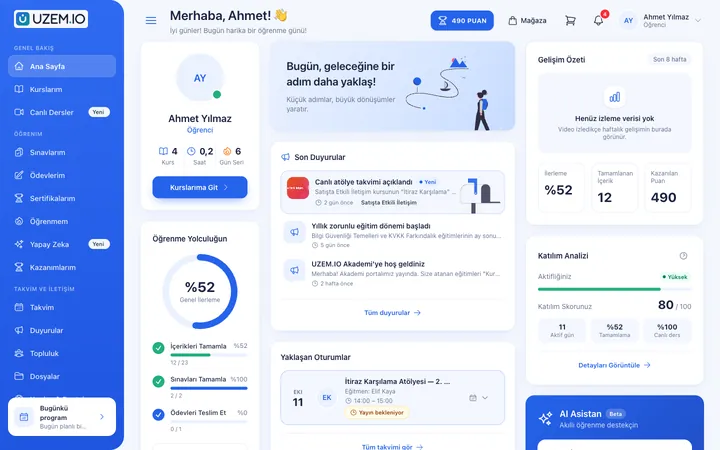
Bring lessons, assignments, exams and live classes together on a single student platform for schools, course centers and universities; see where every student stands in the progress report.
Suitable industries
- Educational Institutions / Schools
- University
- Course Centers
- Publishing
- Public Institutions / Municipalities

A learning routine that continues beyond the classroom
When class times, assignment submissions, exam dates and resources are scattered across different places, students find it hard to keep up. UZEM gathers all of this on a single student platform. Live sessions appear on the calendar and their recordings are archived, assignments are submitted through the platform, and exams are built from the question bank. Points, badges and levels encourage students to study consistently.

Problems and solutions
Problem
Class links, assignments and resources are scattered across messaging groups.
Solution
Live session links, assignments and files live inside the relevant course; students look in one place.
Problem
Students who miss a class fall behind on the topic.
Solution
Live session recordings are added to the course, so students can watch what they missed later.
Problem
Assignment submission and grading run over email.
Solution
Assignments are submitted on the platform, and instructors grade and give feedback in the same place.
Problem
It is hard to encourage students to study consistently.
Solution
Points, badges, levels and a leaderboard make consistent participation visible.
Who is it for?
Private course and tutoring centers
Organizations that run live and recorded lessons together and want to organize student tracking.
Schools
Schools that want to support classroom teaching with assignments, resources and review content.
University units
Continuing education centers and departments offering supplementary courses and certificate programs.
Independent instructors
Instructors who give regular live lessons and assignments to their own student group.
Use cases
- Exam prep programs Topic explanation videos, practice exams from the question bank and live problem-solving sessions.
- Term-based course structure Organize the curriculum inside the course with program sections by term or unit.
- Assignment and project tracking Assignments with due dates, instructor grading and feedback.
- Make-up and review lessons Recorded lessons give students a way to catch up on missed topics.
Features used
Course and Program Management
Organize your courses into programs and lessons; bring video, text, PDF, files, exams and live sessions together in a single flow.
Live Training
Schedule live sessions inside your courses with the Zoom integration; attendance is recorded and session recordings are added to the course as video lessons.

Video Training
Publish your video lessons through a secure video infrastructure and record viewing progress for each lesson.

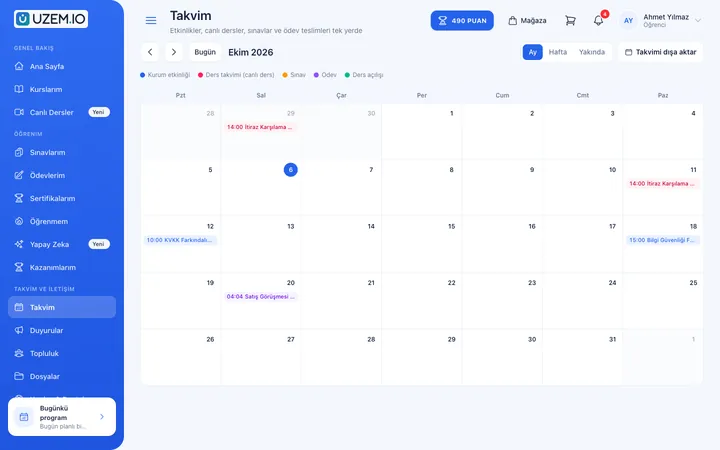
Class Calendar
Show live sessions, events and key dates together in each learner's own calendar.
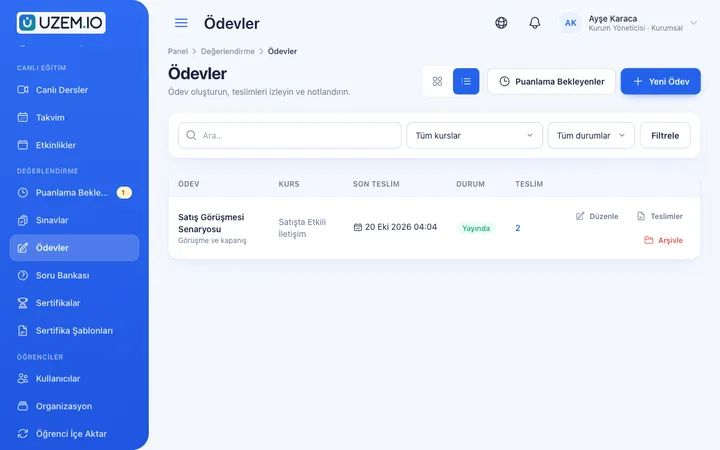
Assignments
Give assignments with due dates; learners submit text or files, and instructors grade them with scores and feedback.
Exams
Measure learning with timed exams and quizzes; you decide the passing score, attempts, question shuffling and result visibility.

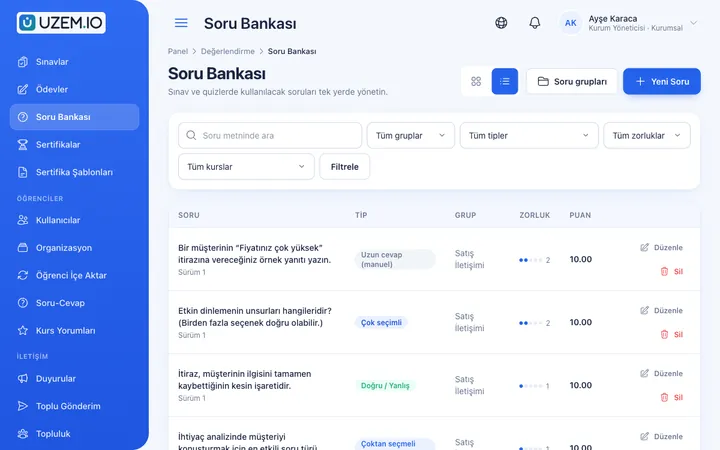
Question Bank
Prepare your questions once with groups, difficulty levels and explanations, then reuse them across different exams.
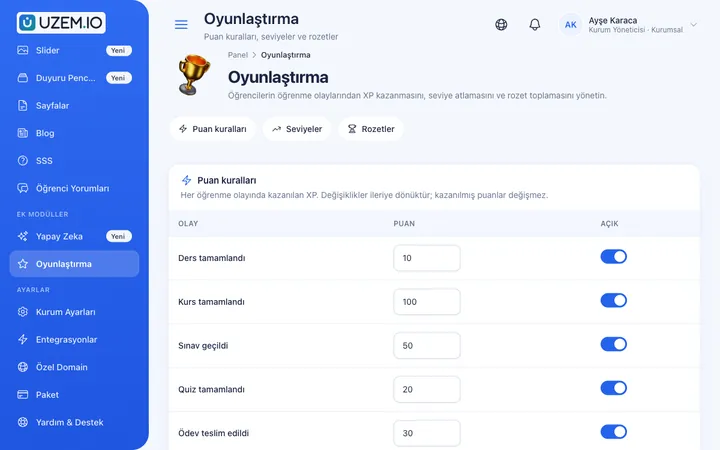
Gamification
Use points, badges, levels and leaderboards to make steady learner effort visible and motivating.
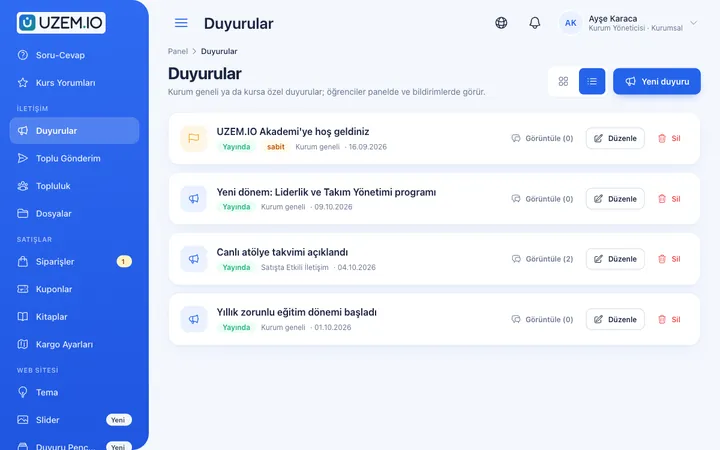
Announcements
Publish announcements to your whole academy or to specific courses, so important information does not get lost in email and chat groups.
Files
Add lesson notes, handouts, forms and guides to a course or to the whole academy, so learners reach the current document in one place.
Try this setup in your own academy
No credit card required; explore a dashboard set up with sample content right away.
How does it work?
-
Structure your courses
Divide courses into terms or units and assign instructors.
-
Build the calendar
Add live session times to the calendar so students see their weekly plan on one screen.
-
Plan assignments and exams
Set up the question bank and set exam and assignment dates.
-
Track progress
Follow students’ attendance, assignment and exam results in reports.
Sample courses
- Math Topic Review Short topic videos by unit and a practice exam at the end of each unit.
- Weekly Live Problem Solving Live sessions scheduled on the calendar, with their recordings.
- Project Assignment A project with a due date, graded by the instructor.
- Foreign Language Practice Program Short video lessons, vocabulary exercises and weekly assessments.
Performance by student and by class
Reports show each student’s course progress, exam results and assignment status. You can compare by class or group and export the data as CSV.
Frequently asked questions
The 5 most frequently asked questions.
Can't find the answer you're looking for?
Browse the help center or write your question to us.
What is the “Program” structure inside a course for?
A program is the term or section structure within a course. For example, you can split a year-long course into fall and spring terms.
How do live classes work?
Live sessions are scheduled through the Zoom integration, appear on the calendar, and their recordings can be added to the course.
Can students join classes from their phones?
UZEM offers a mobile-friendly web interface; students can access it from a phone or tablet browser.
Do graduated students keep using a license?
No. Only active learners count toward the license; you can free up licenses by deactivating students who have graduated or left.
Do instructors use up licenses?
No. Instructor and admin accounts do not count toward the learner license.
Industries using this solution
Set up your academy today
- No credit card details required
- Automatic setup
- You can connect your domain later