






What do you want to achieve?
Live Training Management
If Zoom links, attendance lists and recordings are scattered everywhere: schedule live sessions inside the course, record attendance automatically and add the session recording to the lesson.
Suitable industries
- Corporate Companies
- Holdings and Groups of Companies
- Sales and Marketing Teams
- Franchise and Dealer Networks
- Insurance
- Educational Institutions / Schools
- University
- Course Centers

Before, during and after the live session, all in one place
Running live training takes more than sharing a meeting link. You need to inform participants, remind them of the time, share materials and make the recording available afterward. UZEM schedules live sessions inside the course through the Zoom integration. Sessions appear on the class calendar, participants join from the academy, recordings are added to the course and session materials are shared as files.
Problems and solutions
Problem
Session links get lost in messaging groups.
Solution
The session lives inside the relevant course and on the calendar, so participants never have to hunt for the link.
Problem
Participants forget the session time.
Solution
Notifications and optional SMS send reminders before the session.
Problem
Recordings stay on the instructor’s computer.
Solution
Session recordings are added to the course, so those who missed it can watch later.
Problem
Selling live training requires a scattered process.
Solution
Courses with live training are put on sale in the storefront; after payment, participants are enrolled automatically.
Who is it for?
Education providers running live classes
Course centers and schools that deliver their weekly class schedule online.
Corporate training teams
Units that run live training for employees across different locations.
Organizations hosting seminars
Chambers and associations offering live seminars to their members or participants.
Instructors
Instructors who want to organize their live sessions, materials and recordings in one place.
Use cases
- Weekly live class schedule Regular live sessions throughout the term, tracked on the calendar.
- Webinar and seminar series Live sessions with guest speakers and archived recordings.
- Blended learning Prepare with video lessons, then practice and Q&A in a live session.
- Paid live workshops Put limited-seat workshops on sale in the storefront.
Features used
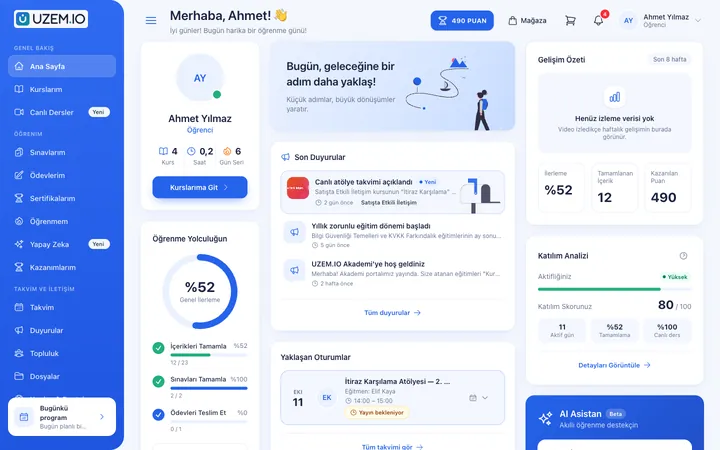
Live Training
Schedule live sessions inside your courses with the Zoom integration; attendance is recorded and session recordings are added to the course as video lessons.
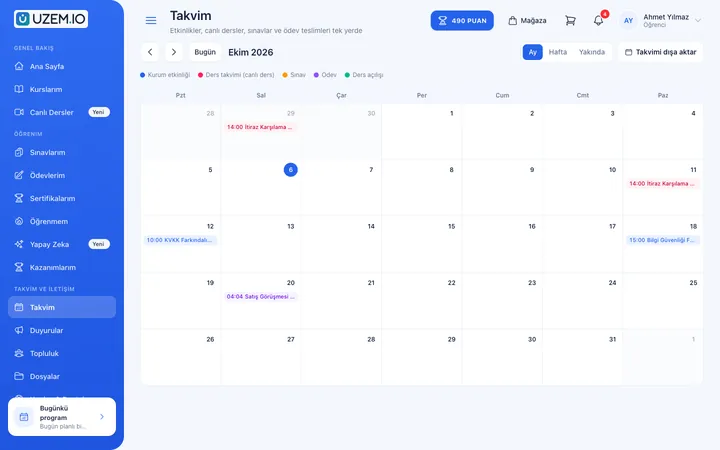
Class Calendar
Show live sessions, events and key dates together in each learner's own calendar.
Course and Program Management
Organize your courses into programs and lessons; bring video, text, PDF, files, exams and live sessions together in a single flow.

Video Training
Publish your video lessons through a secure video infrastructure and record viewing progress for each lesson.

Notifications
Deliver events such as announcements, exam results and assignment grades through in-app notifications and email; send bulk messages.

SMS Notifications
Connect your Netgsm or Mutlucell account and send SMS to your learners under your own approved sender name, in line with İYS consent rules.
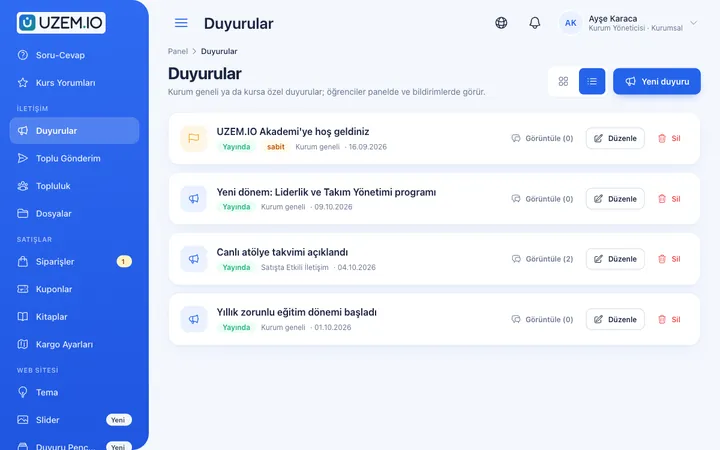
Announcements
Publish announcements to your whole academy or to specific courses, so important information does not get lost in email and chat groups.
Files
Add lesson notes, handouts, forms and guides to a course or to the whole academy, so learners reach the current document in one place.
Course Sales
Sell courses and books from your own academy with a cart, orders, PayTR, iyzico or bank transfer payments, and refunds.

Try this setup in your own academy
No credit card required; explore a dashboard set up with sample content right away.
How does it work?
-
Connect your Zoom account
Configure the Zoom integration in your academy settings.
-
Schedule sessions
Create a live session with its date and time inside the course; it appears on the calendar automatically.
-
Inform participants
Send reminders through announcements, notifications and optional SMS.
-
Share the recording
After the session, add the recording and materials to the course.
Sample courses
- Weekly Live Class Series A class schedule held at the same time every week, with archived recordings.
- Expert Guest Seminar A live presentation by a guest speaker with a Q&A segment.
- Hands-on Workshop A live practice session following a pre-watched video lesson.
Live and recorded content tracked together
Reports show participants’ course progress, completion in courses that include live sessions, and exam results. Data can be exported as CSV.
Frequently asked questions
The 5 most frequently asked questions.
Can't find the answer you're looking for?
Browse the help center or write your question to us.
Which live session tool is supported?
Live sessions run through the Zoom integration.
How are recordings shared?
You can add session recordings to the relevant course so learners who could not attend can watch them later.
Where do participants see sessions?
Scheduled sessions appear on the class calendar and inside the relevant course.
Can we sell live training?
Yes. You can publish courses with live sessions as paid offerings in the storefront and accept payment via PayTR, iyzico or bank transfer.
Can reminders be sent before a session?
Yes. You can inform participants through notifications and, if you have connected your SMS provider, by SMS.
Industries using this solution
- Corporate Companies
- Holdings and Groups of Companies
- Sales and Marketing Teams
- Franchise and Dealer Networks
- Insurance
- Educational Institutions / Schools
- University
- Course Centers
- Publishing
- NGOs, Associations and Foundations
- Professional Chambers and Associations
- Public Institutions / Municipalities
Set up your academy today
- No credit card details required
- Automatic setup
- You can connect your domain later