








Automatic setup
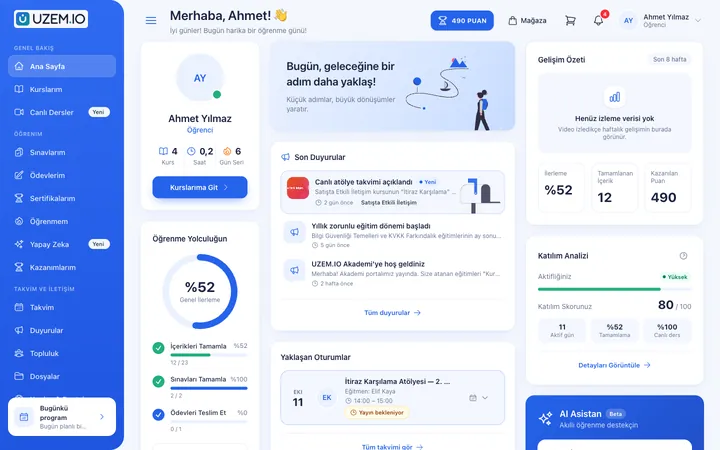
After sign-up, your email is verified, your academy is set up and you're signed in to your dashboard automatically.
- Sample categories, courses and lessons
- Sample instructor and learner account
Online academy
Fill out the form and choose your academy address; your academy is set up automatically with sample content. Welcome your learners with your logo, colors and your own domain.

Your learners see your organization, not UZEM.
After sign-up, your email is verified, your academy is set up and you're signed in to your dashboard automatically.
Your academy launches at an address like akademin.clms.com.tr. When you're ready, you connect your own domain.
Choose your logo, colors and font; reorder storefront sections and add a slider and announcement pop-up.
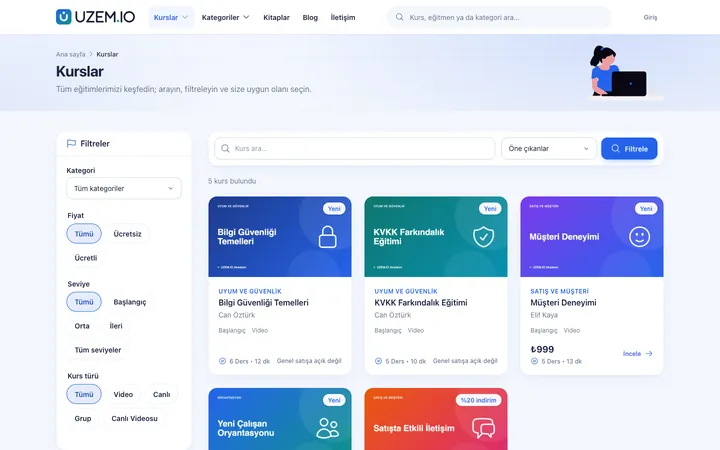
Your courses are listed by category and subcategory; each course's detail page shows its content and price.
If you don't need a storefront, turn on portal mode: visitors see only the sign-in screen, and content is closed to the outside.
If you teach on your own, publish your courses at your own address and manage sales and learners from the same dashboard.
Enter your name, email, phone and academy address.
Enter the code we sent; setup starts right away.
Set your logo, colors and storefront sections.
Connect your own domain if you like; otherwise, your academy address keeps working.
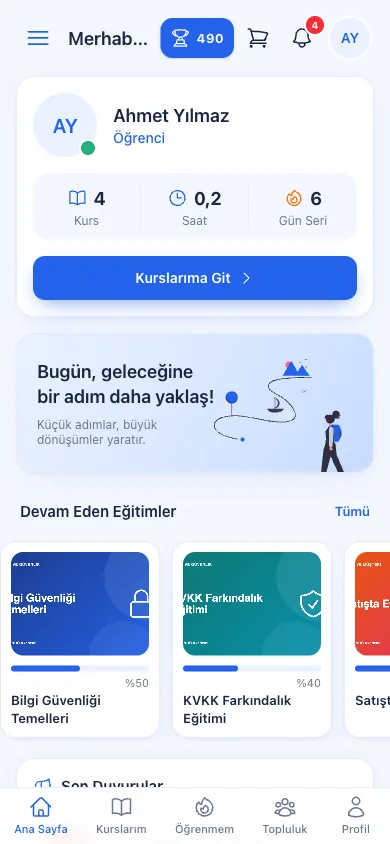
Screenshots are taken from UZEM's real interface with sample data.

If the answer you're looking for isn't here, write to us and our team will help.
Help centerNo. You open your trial academy for free, and no credit card details are requested during sign-up. At the end of the trial, you choose the plan you want.
Yes. Your academy first runs on your academy address; you can add your own domain from the dashboard at any time and connect it with a CNAME record.
No. Colors, fonts and section layout only change the look; your courses, learners and sales stay exactly as they are.
Yes. When Private Portal Mode is on, visitors see only the sign-in screen; public pages such as certificate verification keep working.
Choose your academy address, and we'll handle the setup.
Strictly necessary cookies are used for the site to work. Analytics and marketing cookies are enabled only with your consent. Cookie policy