







The term plan in one go
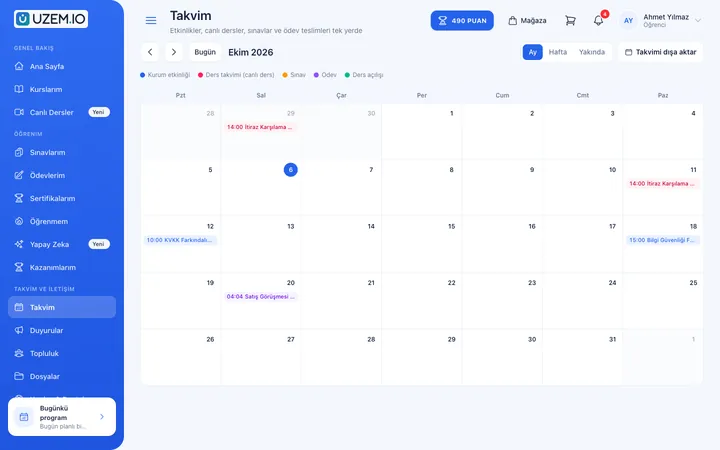
Evening lessons three days a week? Choose recurrence in the Lesson Calendar and create the whole term; you can also import your ready schedule via CSV.
- Conflict check
- Appears automatically in the learner calendar
Course centers
Put group lessons on the calendar, add the live session recording to the lesson the same day, and follow up with assignments and exams. Take new term enrollments with online payment from your own storefront.

Common situations, from term planning to parent updates.
Evening lessons three days a week? Choose recurrence in the Lesson Calendar and create the whole term; you can also import your ready schedule via CSV.
Run the lesson on Zoom; the recording is added to the lesson when it ends. Learners who couldn't attend watch the recording the same day.
Sell multiple courses as a single bundle. Split courses into programs and assign each program its own instructor.
Collect and grade assignments, build exams from the question bank and issue certificates at the end of the course.
Announce lesson changes and send bulk SMS and email. İYS consents are checked for commercial messages.
Open the new term for sale on your storefront; set up an early-enrollment discount with coupons and approve bank transfer payments from the dashboard.
Define the course type and lessons.
Create the term's live sessions with recurrence.
Take enrollments from the storefront with online payment or bank transfer.
Track attendance, assignments and exams through reports.
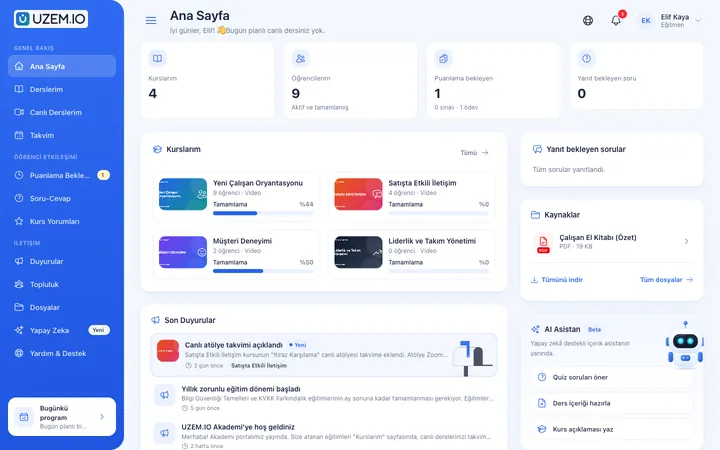
Screenshots are taken from UZEM's real interface with sample data.


If the answer you're looking for isn't here, write to us and our team will help.
Help centerOnly active learner accounts count toward the license; instructor and admin accounts aren't counted. You can see your plan's learner limit on the Plans page.
You connect your Netgsm or Mutlucell account from the dashboard. For commercial messages, İYS consents are checked before sending.
No. Instructor permissions are kept narrow; instructors manage only the courses and lessons assigned to them.
The Zoom recording is added to the lesson after it ends; learners watch the recording, and view tracking works on recordings too.
Open your academy and set up your first group's schedule.
Strictly necessary cookies are used for the site to work. Analytics and marketing cookies are enabled only with your consent. Cookie policy